Checking for exploitable vulnerabilities
Using the exploitable-CVE database to tell a real risk from a severity label.
The database of exploitable vulnerabilities — CVEs where a public exploit was confirmed or the vulnerability was used in malware campaigns — is available through the Vuln DB menu:
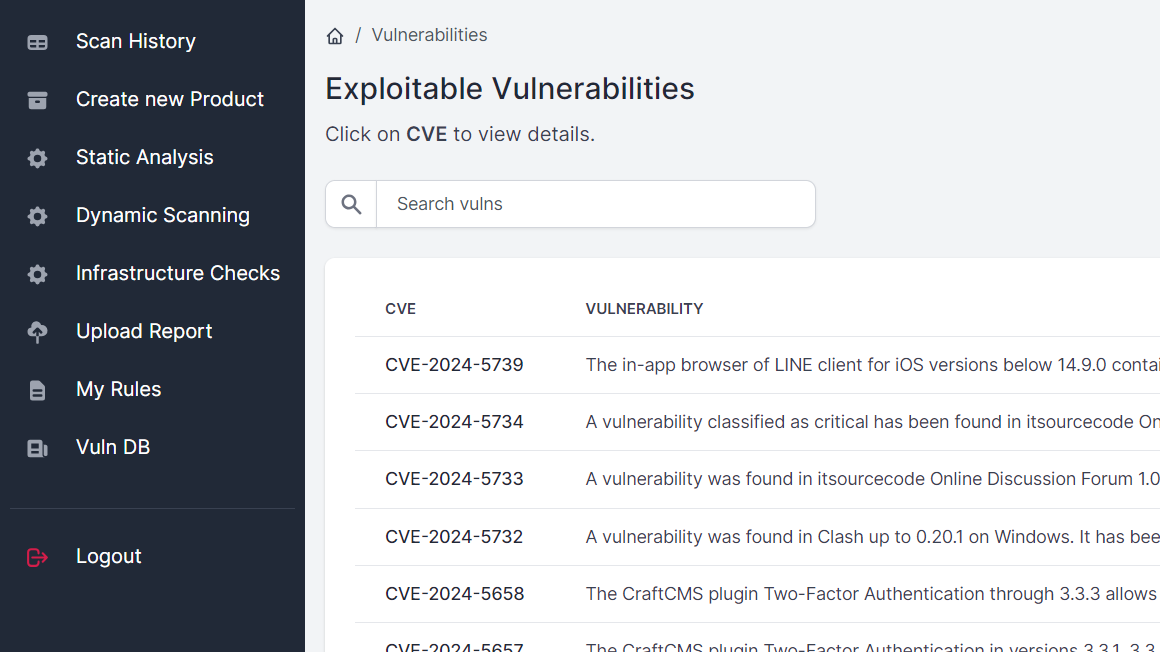
It supports full-text search across all fields, so you can quickly check whether a given CVE is exploitable, or which exploitable vulnerabilities exist for a given product. The full capabilities of the database, and everything else that queries it, are covered in Exploitable Vulnerabilities Database.
Enriched scan reports
Results from infrastructure scans (OpenVAS, Nessus, Nuclei) and code dependency checks (Trivy) are enriched with information from this database.
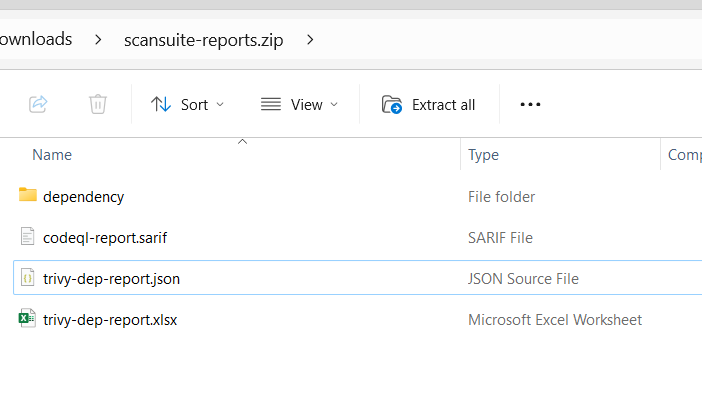
To view the enriched reports, download the ZIP archive from Scan History using the Report button, then look for the XLSX files, such as trivy-dep-report.xlsx:
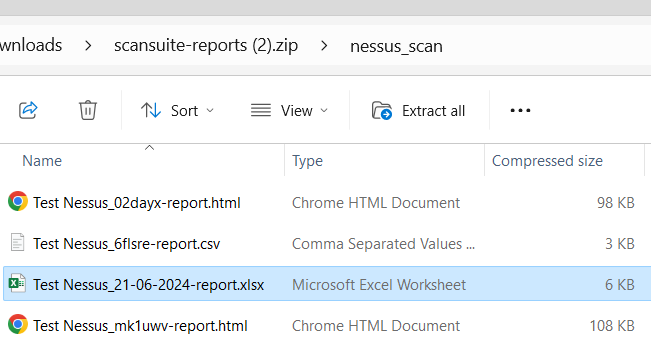
Or the equivalent Nessus, OpenVAS or Nuclei report in its respective folder:
Exploit availability is shown in the Exploit column:
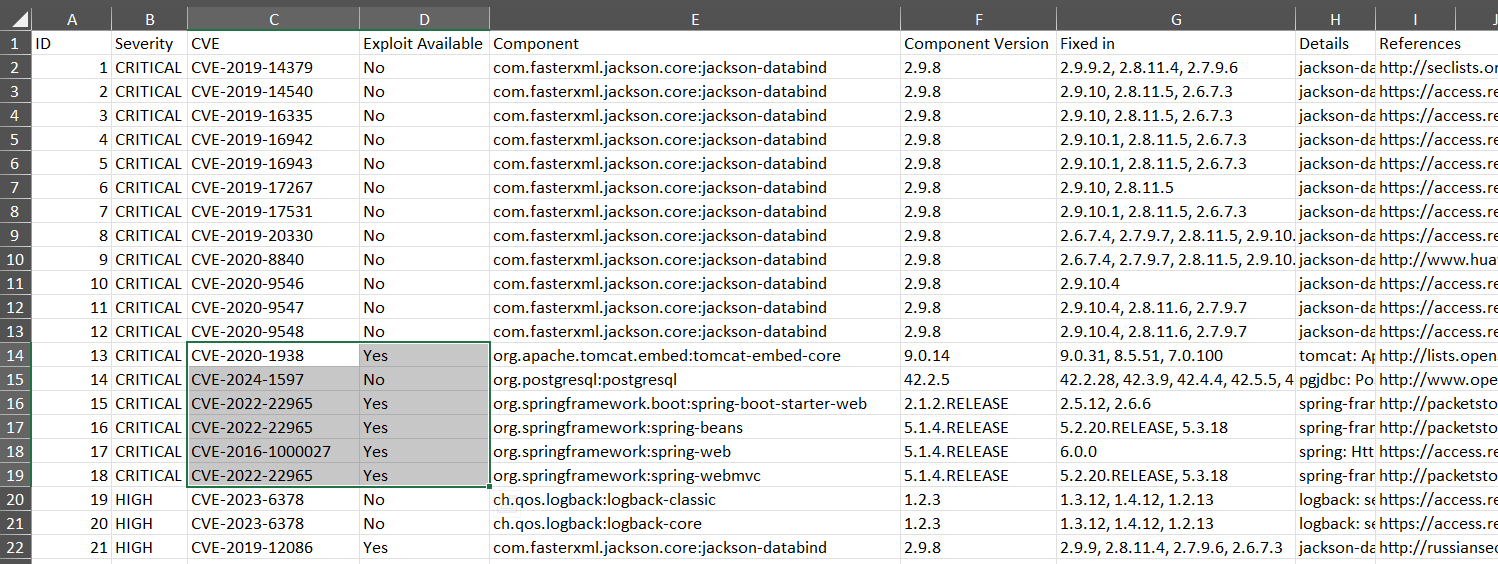
This column is the manual version of what Dependency reachability automates: it uses the same database presence check as the gate that decides which dependency findings are worth verifying.
Last reviewed 2026-08-16