Security findings that arrive with the proof attached
ScanSuite's AI agents review your code, attack your web applications and test your infrastructure, then report only what they can back up: the call path, the exact request, or an exploit that runs. Self-hosted, so your code stays with you.
check_circleOn-premise, private cloud or air-gapped
check_circleYour model: hosted, gateway or local
check_circleKeeps the scanners you already license
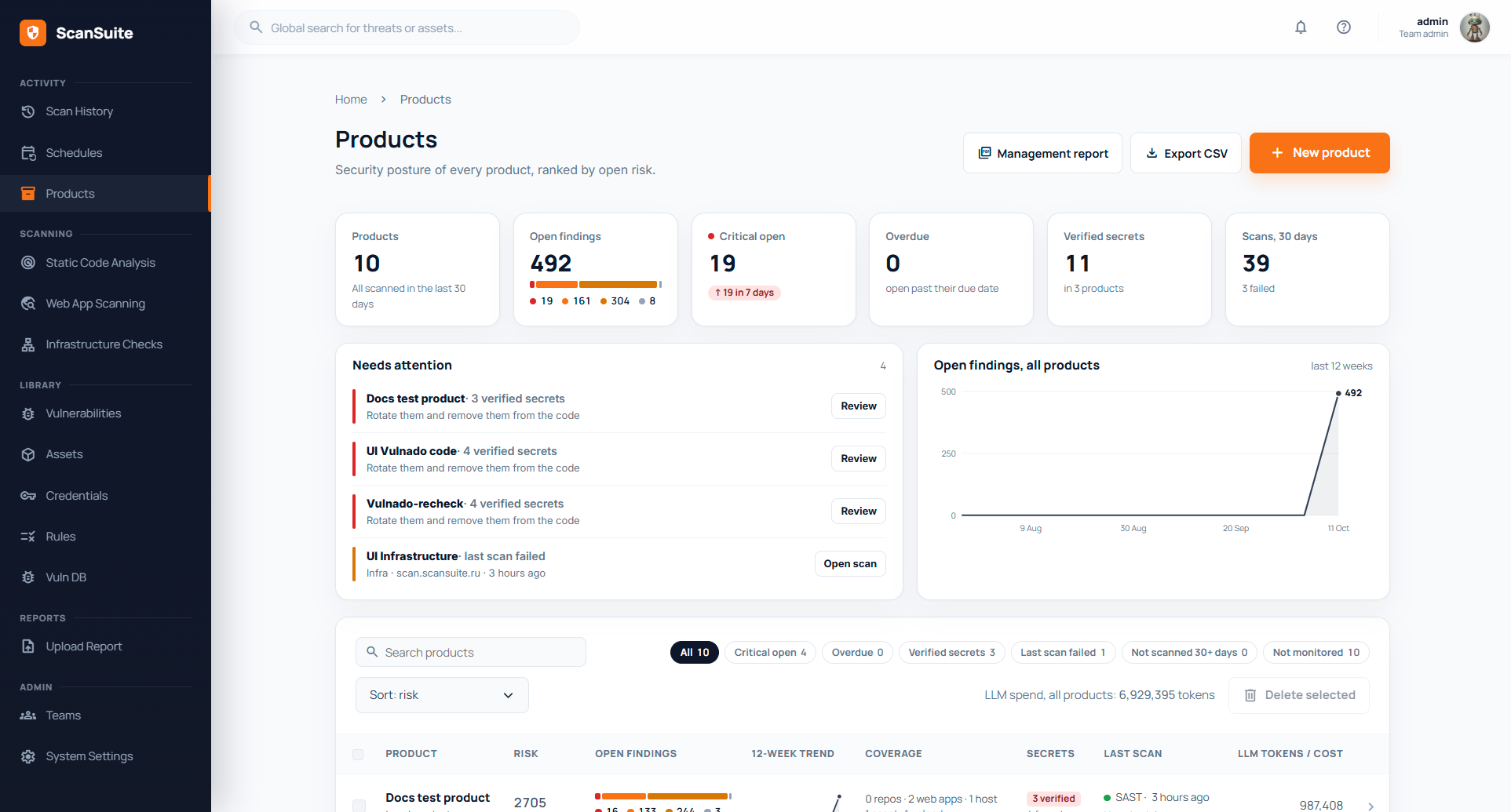
scansuite.internal/product
Reachability agent
entry POST /refunds
→ RefundService.issue()
→ RefundController.java:41
verdict reachable · no owner check
~130k
CVEs with real exploitation evidence, held locally
44
tools the pentest agent chooses from on its own
34
web attack techniques, from SQLi to request smuggling
30+
languages read by the AI code reviewer
30+
classic scanners orchestrated alongside the agents
Why teams switch
Scanners hand you a list. ScanSuite hands you conclusions.
The expensive part of application security is not finding candidates. It is deciding which of them are real. ScanSuite moves that work to the agents and shows you how they decided.
listA typical scanner stack
removePattern matches, by the thousandSomeone on the security team triages each one by hand.
removeEvery CVE in the lock fileIncluding packages the application never calls.
removeBlind to logic flawsBroken authorization has no signature, so no rule fires.
removeThree tools, three ticketsThe same issue arrives once per scanner, in three formats.
removeA pentest twice a yearThe report is out of date before remediation starts.
verifiedScanSuite
checkFindings that were checkedTraced source to sink, reproduced by a confirmation pass, or proven by an exploit.
checkOnly exploited, reachable CVEsFour gates, from exploit evidence to whether the vulnerable API is actually called.
checkCode read like a reviewer wouldA model reasons about each file, across files, in 30+ languages.
checkOne record per issueDeduplicated across engines. If a closed issue comes back, the original record reopens.
checkA pentest whenever you need oneDescribe the scope in a sentence; the agent plans, tests and proves.
The platform
Four AI engines, one pipeline of findings
Run them separately or together against the same checkout, URL or network range. Everything they report lands in one deduplicated vulnerability record.
ENGINE 01neurology
AI static analysis
Reads the code the way a reviewer does, so it finds broken authorization and business-logic flaws that no rule describes.
30+ languages, with the application's architecture as context
Cross-file hunt for auth, data isolation, LLM and CI/CD flaws
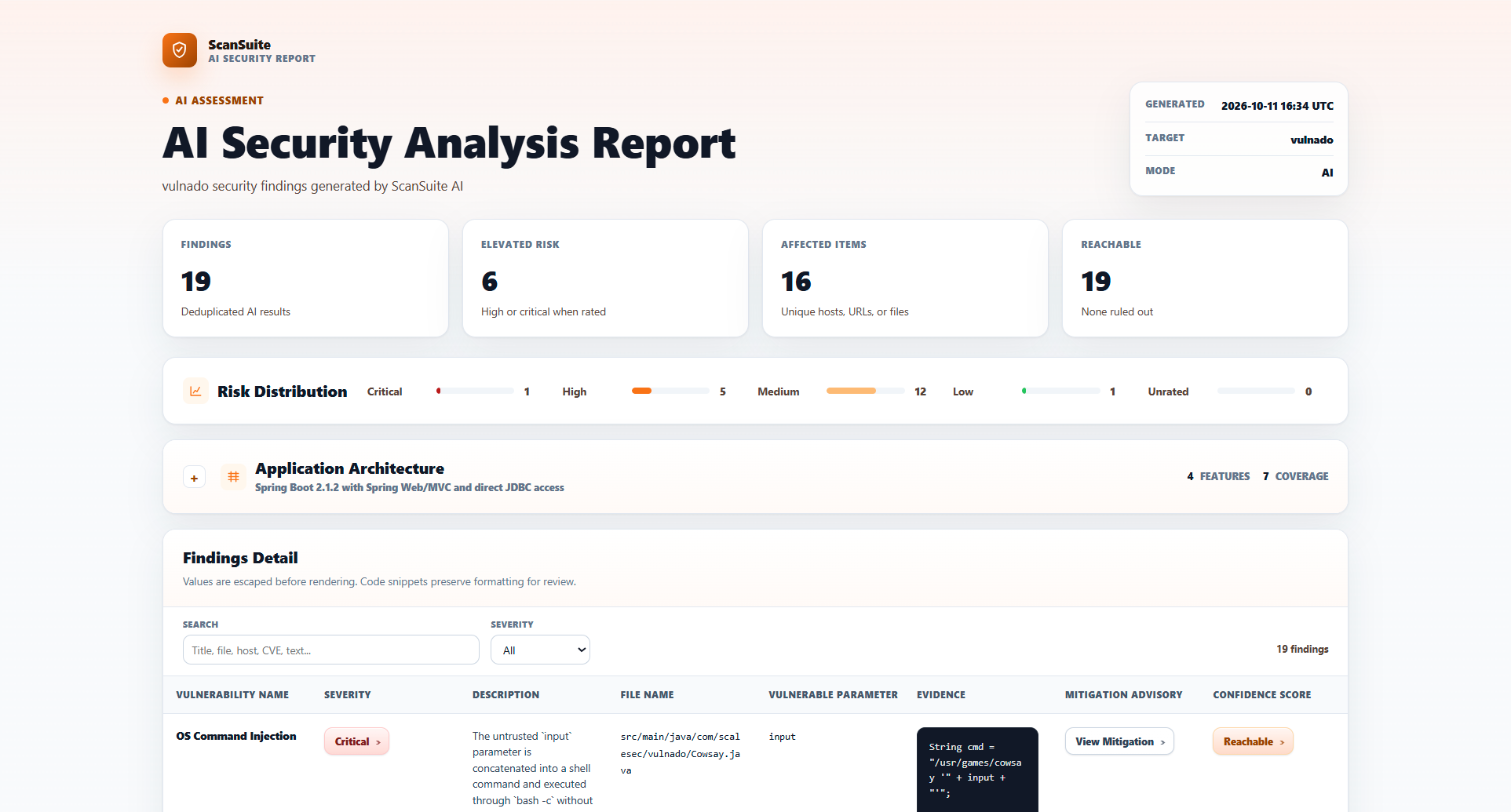
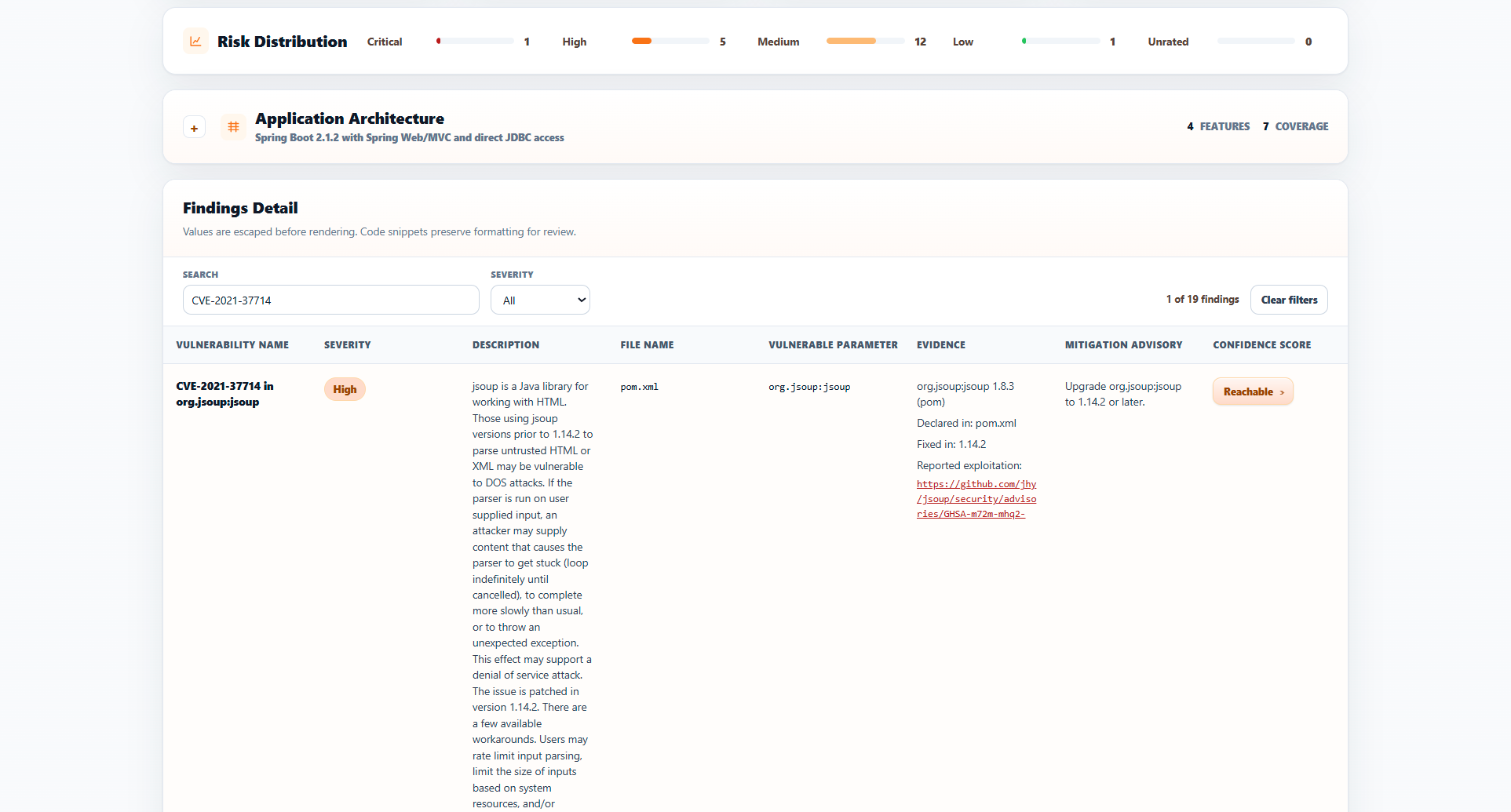
The report a developer receives: finding, fix and confidence togetherDocs arrow_forward
AI Security Analysis Report
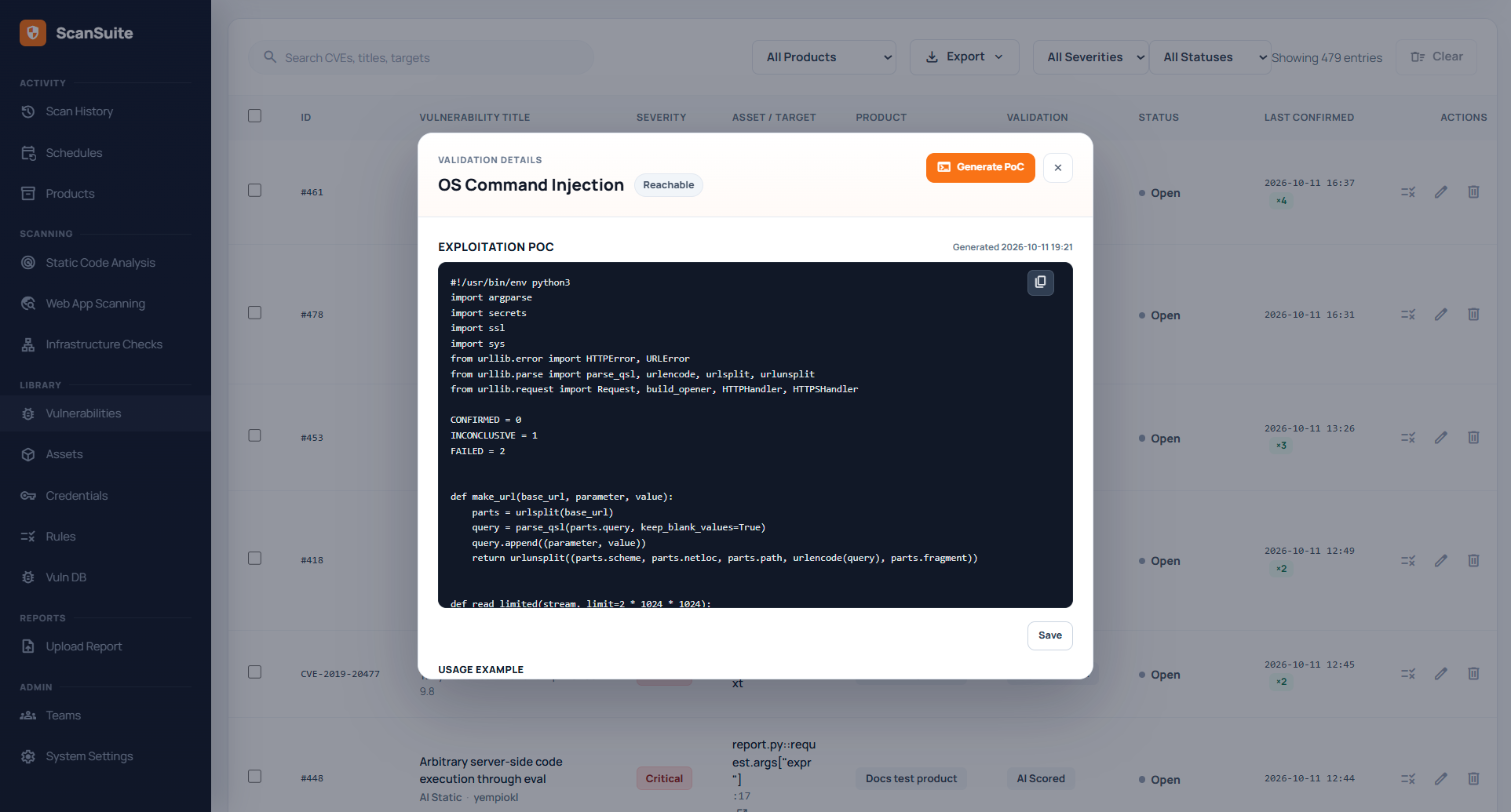
Known exploit links and the version that fixes it, per reachable CVEDocs arrow_forward
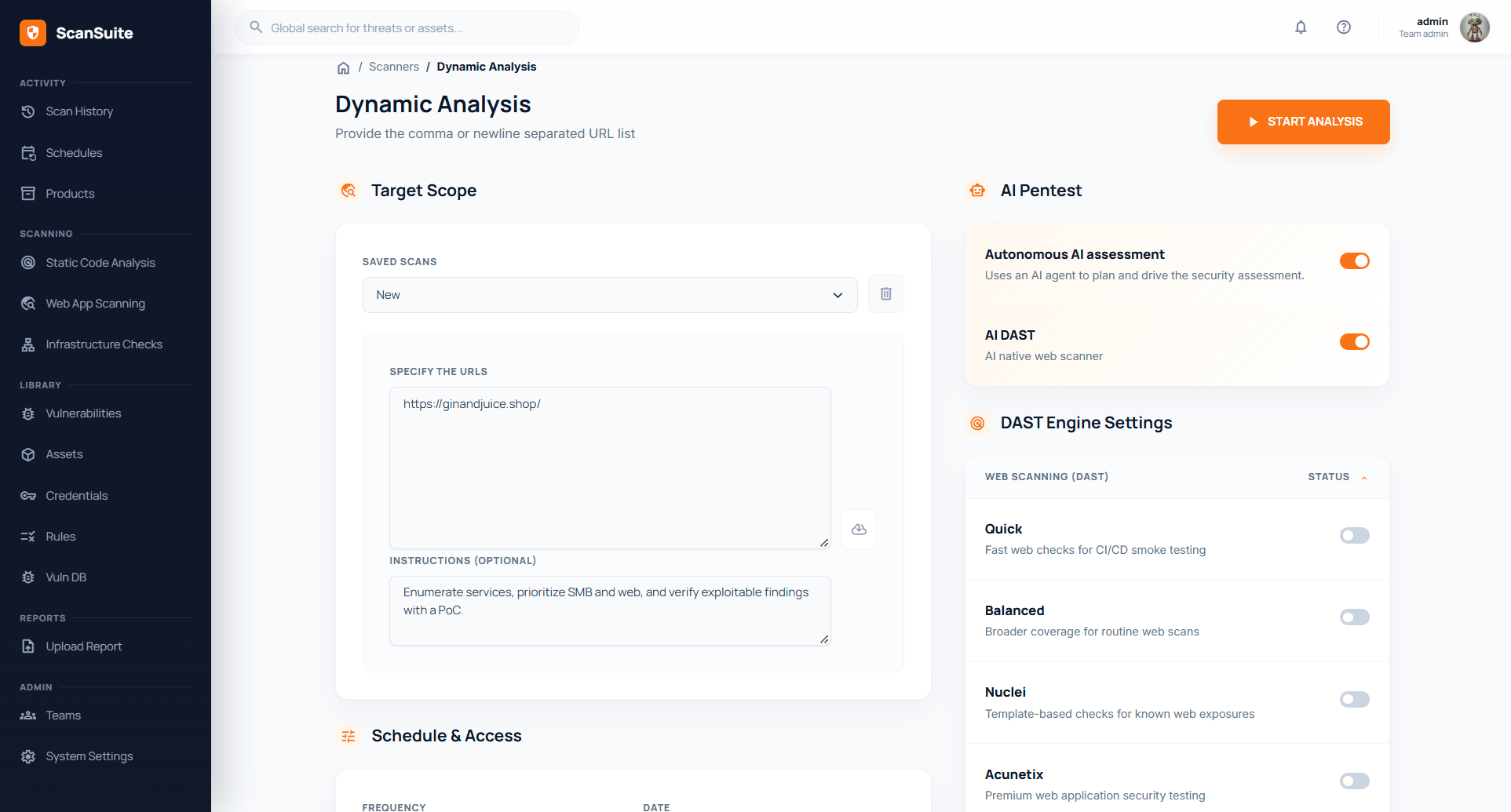
/dynamic
Autonomous assessment and AI DAST switched on, with instructions in plain languageDocs arrow_forward
AI pentest, up close
The whole configuration is one sentence
There is no scan profile to tune. Give the agent a scope and, if you like, priorities, and it runs the engagement on its own while you watch.
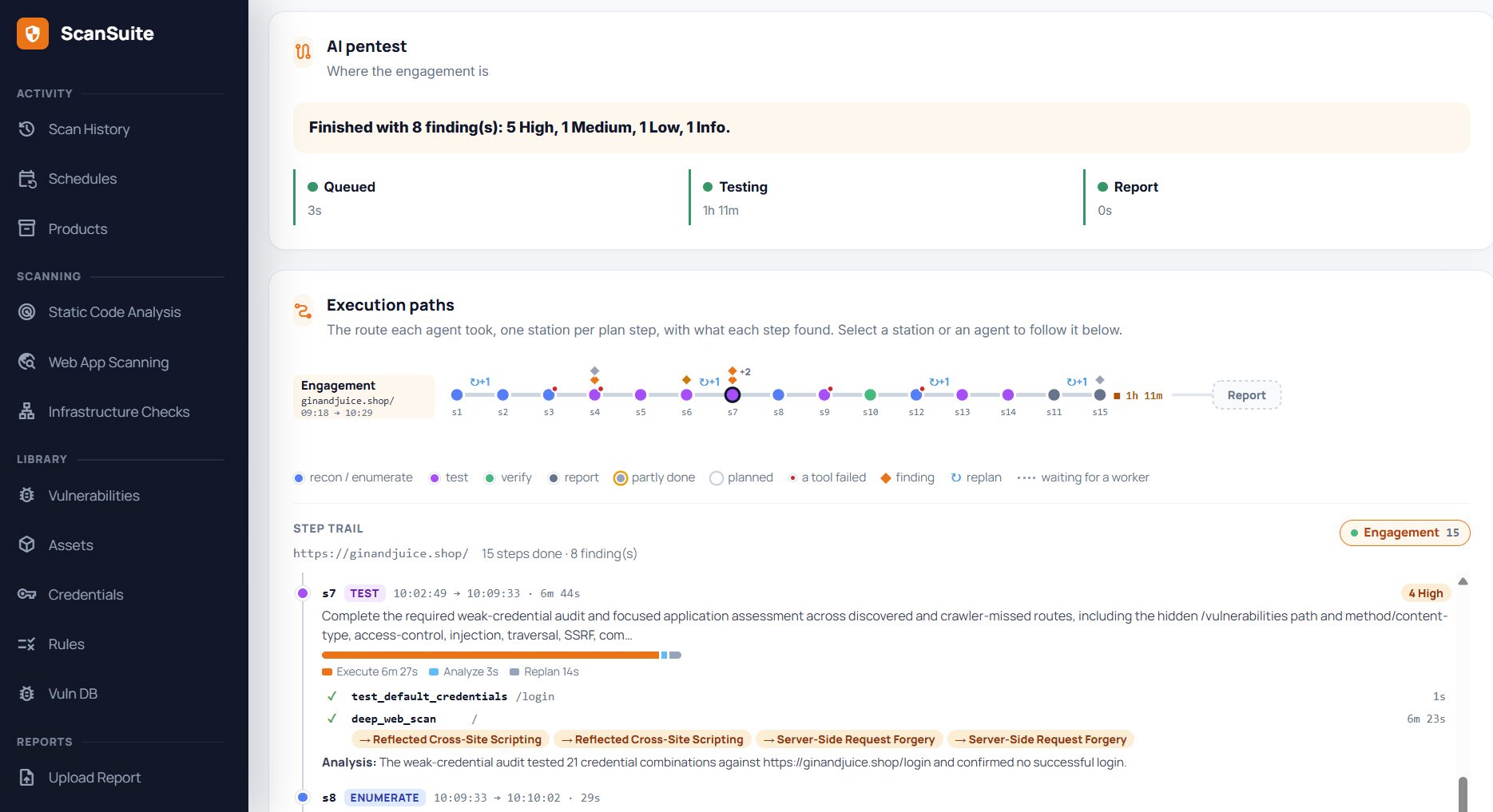
AI pentest · ginandjuice.shop
A finished engagement against a public test site: every plan step, the tools it ran and what it found.
01
Scope in a sentence
Name the targets and what matters to you. Nothing else to configure.
02
Watch it work
Follow every step live on the scan page, with the execution paths of each agent. The scanners you already license are used where they help.
03
Follows the target
The engagement adapts to what the target turns out to be, rather than running a fixed checklist.
04
Proven findings only
Reports only what it demonstrated, with attack chains where one weakness led to another, in Markdown and XLSX.
lock
Stays in scope
The agent only touches the targets you allowed. Anything outside them is refused before it is sent.
block
No shell access
The agent works through vetted tools only. It never gets a shell on your systems.
science
Sandboxed exploits
Proofs of concept the agent writes run in an isolated sandbox.
timer
Hard budgets
Every engagement runs within a budget that guards against runaway cost, and stops once coverage is reached.
Vulnerability management
From finding to verified fix, in one place
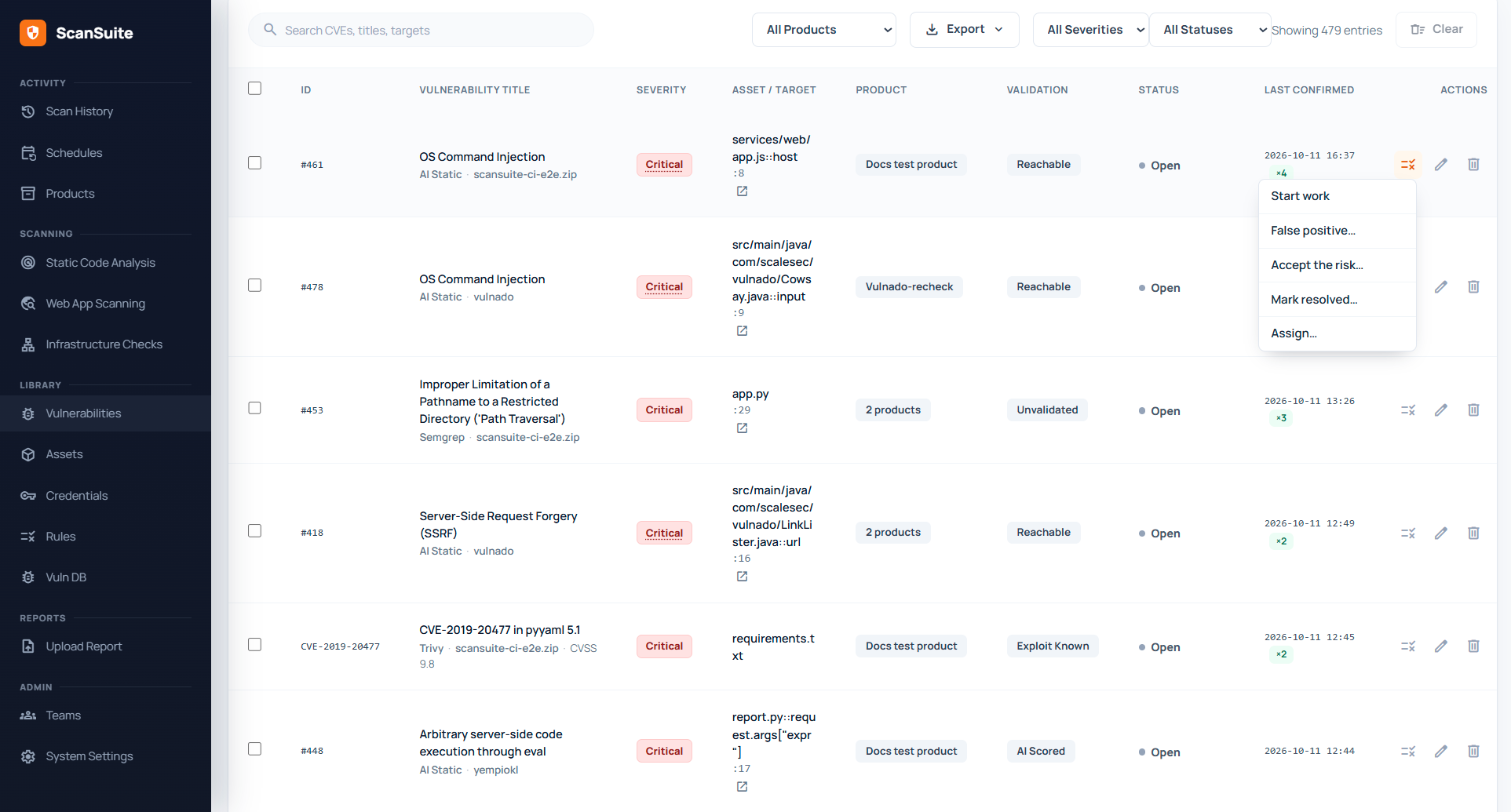
Findings from every engine and every classic scanner follow the same path. A finding is closed when a rescan shows it is gone, and reopens if it comes back.
merge
Deduplicated
One record per issue, however many tools report it.
rule
Triaged
Every decision needs a reason. False positives can become suppression rules.
person_check
Owned
An owner and a due date set by severity, with overdue counts.
build
Fixed
A deep link to the line, the suggested fix and the evidence.
verified
Verified
A targeted rescan closes it on evidence, or reopens it.
What a CISO gets from it
A defensible answer to "how exposed are we, and is it improving?"
Risk by product
Ranked, with a 12-week trend
Remediation
Deadlines by severity, overdue counts
Accountability
Owner, triage reason and full history per finding
Hand-off
DefectDojo (and Jira through it), ServiceNow XLSX, CSV
Both editions include every scanning engine. Teams adds what an organisation with several teams needs, and an existing installation upgrades in one run.
ScanSuite
One shared installation for a security team.
check_circleAll four AI engines and 30+ classic scanners
check_circleVulnerability management, deadlines and proofs of concept
check_circleLocal exploit database and custom rules
Not with a local model: the platform, the exploit database and the model all run inside your perimeter. With a hosted provider, code is sent only to the provider you configure, under your own account.
Is it safe to point the pentest agent at our systems?
Scope is enforced in code, the agent only calls allow-listed tools, exploits run sandboxed, and every engagement has a budget. We still recommend starting against staging.
We already license Nessus, Acunetix and Snyk.
Keep them. ScanSuite runs them, deduplicates their output with the AI engines, and the pentest agent can drive Nessus, OpenVAS and Acunetix directly.
How do we keep AI cost under control?
Spend is recorded per scan and shown in money. Incremental scans re-analyse only changed files, and in Teams each team can have a monthly budget.
How are false positives handled?
AI findings can be verified before they are reported. What remains is triaged with a required reason, a false positive can become a suppression rule, and a closed issue that returns reopens its original record.
How does it fit our pipeline and ticketing?
Scan scripts run from any CI system. Teams adds a build gate with SARIF and JUnit output. Findings flow to DefectDojo and from there to Jira, or to ServiceNow by XLSX exchange.
What does it take to run?
A Docker host with 4 CPU, 16 GB RAM and 100 GB of disk handles 3–4 parallel scans. Installation and upgrades are one command, online or offline.
Which models does it work with?
Any OpenAI-compatible endpoint, Claude on Vertex AI, or local models through Ollama or LM Studio. For local use we recommend models of 30B parameters or more.
smart_toy
Works with your AI assistant
The documentation is written for people and for agents. Paste one of these into Claude Code, ChatGPT or any coding agent.
Ask what ScanSuite can do
Read https://scansuite.eu/documentation/llms.txt and tell me whether ScanSuite can scan our stack (<describe it>) and what it would find.
Install ScanSuite Teams on this server by following https://scansuite.eu/documentation/installation/install-scansuite-server. Do the work yourself: ask me where the licence file is, and start the installer in a terminal I can type the registry password into.