Web App Scanning
Authenticated and unauthenticated web scanning, including the AI DAST engine.
ScanSuite supports both authenticated and unauthenticated web scanning, using classic scanners, its own AI DAST engine, or the AI Pentest agent.
Create separate products for different scan types, or group websites by category. This makes result analysis and reporting far simpler later on.
URLs must be allowed by the team's web target policy. A new team allows nothing until a team admin or operator adds hosts; see Teams and roles. With the enforce during scans mode, redirects and every connection a scan makes are checked too.
Running a web scan
- 01Open the Dynamic Analysis tab
- 02Enter the URLs
A comma or newline separated list.
- 03Select the engines you want
- 04Check the Product / Eng ID
This is what files the results under the right product.
- 05Add authentication
Cookies, a custom header, or both.
- 06Submit
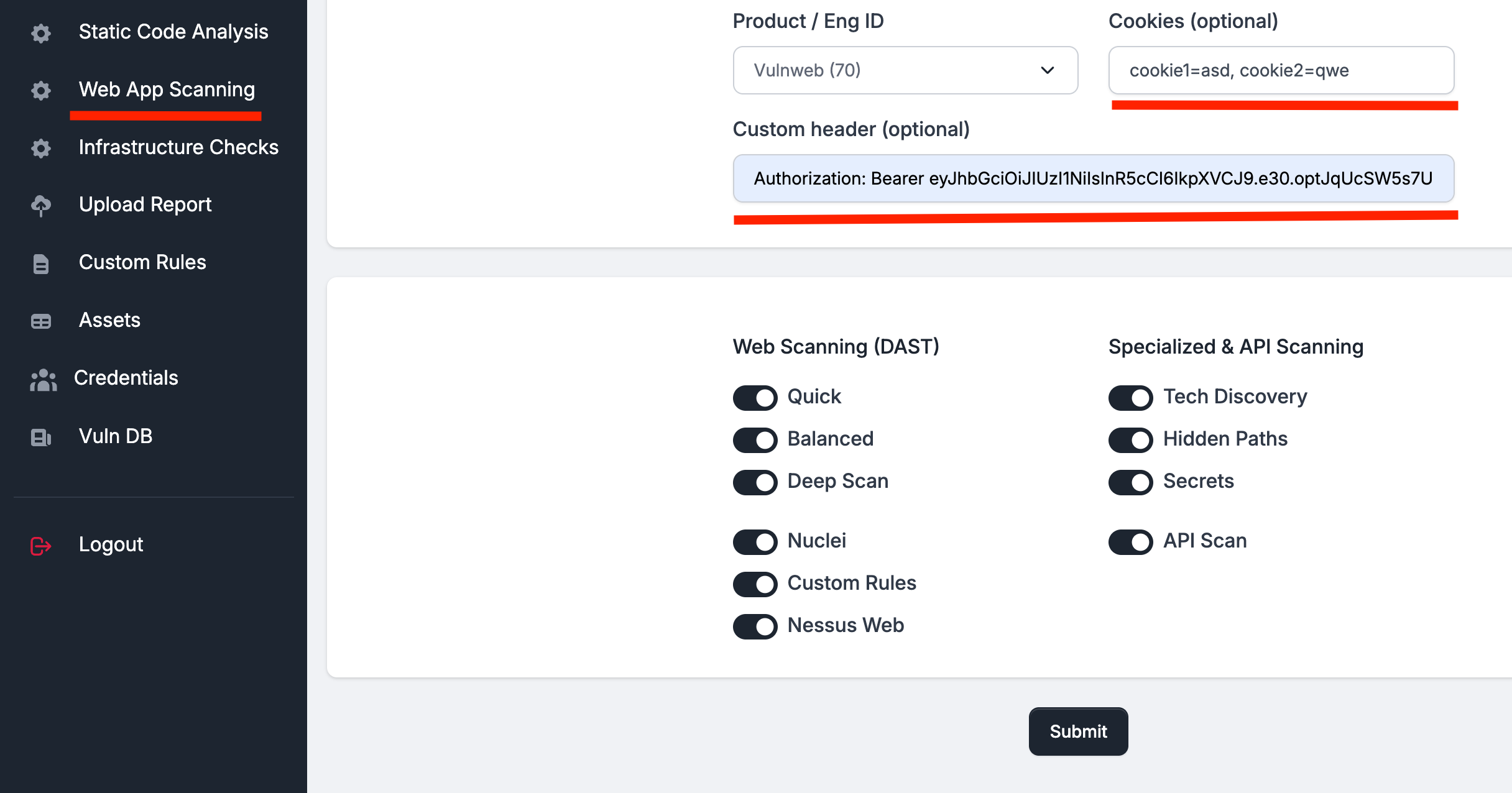
The engines
| Engine | What it does |
|---|---|
| Quick | Fast web checks, sized for CI/CD smoke testing. |
| Balanced | Broader coverage for routine web scans. |
| Deep Scan | Comprehensive crawling and intrusive testing. |
| Nuclei | Template-based checks for known web exposures. |
| Custom Rules | Your own Nuclei templates — see Custom Rules. |
| Acunetix | Premium web application security testing. Requires configuration in Settings. |
| Nessus Web | Commercial web vulnerability scanner. Requires configuration in Settings. |
| Tech Discovery | Fingerprints frameworks, stacks and versions. |
| Hidden Paths | Finds unlinked content and exposed directories. |
| Secrets | Crawls pages for leaked keys and tokens. |
| API Scan | Tests API endpoints from an OpenAPI specification. |
| AI DAST | The AI-native web scanner described below. |
| AI Pentest | An autonomous agent that plans and drives the whole assessment. |
AI DAST
A black-box engine where the model chooses the attack point, the technique and the concrete payload values. The technique modules only shape the request flow and score the signal — there is no fixed payload catalog to replay.
- 01Discover
An internal crawler plus imported crawl records build the attack surface — visited URLs, forms, parameters — then deduplicate it into distinct attack points, so the same parameter is not tested eleven times under eleven URLs.
- 02Profile
A WAF detection pass tells the agent what it is up against and shapes payload encoding accordingly. An optional surface profiler widens the attack surface with endpoints the crawler could not reach.
- 03Probe
For each endpoint the model picks a technique module and the payload values to send. The module issues the requests and compares the payload response against the baseline.
- 04Confirm
Preliminary evidence goes to a second pass that issues its own follow-up requests and either confirms or denies. Signals that cannot be reproduced are discarded rather than shipped as informational.
- 05Report
Confirmed findings ship with severity, the payload list and the resolved HTTP exchange that produced them, then join the shared finding pipeline.
What the signal comparison looks at
Status-code change, a server error only in the payload response, a reflected payload marker, low body similarity or a length delta, error signatures, a redirect or final-URL change, or a timing delta of three seconds or more. Technique modules add family-specific boosts — SQL error signatures, template errors, command-injection timing, unescaped executable HTML for XSS, rendered-page inspection for stored XSS.
Technique coverage
Thirty-four technique modules ship with the engine. The model chooses which to run against each attack point and what to send; the module shapes the request flow and scores the signal.
| Family | Modules |
|---|---|
| Injection | SQL injection, NoSQL injection, command injection, SSTI, XXE, SSRF, path traversal |
| Cross-site scripting | Reflected XSS, stored XSS, DOM XSS, DOM-based sinks |
| Access control and identity | Access control, authentication bypass, OAuth, JWT, weak credentials |
| Session and browser trust | CSRF, clickjacking, CORS, WebSocket |
| Request and cache handling | Request smuggling, web cache poisoning, web cache deception, HTTP host header |
| Application logic | Business logic, race conditions, file upload, insecure deserialization |
| API surfaces | GraphQL, API security |
| Other | Open redirect, information disclosure, prototype pollution, Web LLM attacks |
A destructive-payload guard sits in front of anything that would change state. It reduces but does not eliminate the risk of an intrusive scan affecting a live system — scan a staging environment where you can.
Distributed execution
ScanSuite uses distributed scanning workers. Each worker processes one scan job at a time, so multiple scans run in parallel and you scale by adding workers. See Setup parameters and services for the worker count.
Where results go
Most engines export to DefectDojo. Hidden Paths and Secrets results are not, given the nature of the data collected — download the Report from Scan History to review them.
Last reviewed 2026-08-16