Scheduling periodic and incremental scans
Recurring scans, monitored branches and incremental re-analysis of only what changed.
Periodic scans keep an up-to-date view of vulnerabilities, which matters because both the codebase and the scanner rules change over time.
Scheduled, monitored and incremental scans are only available for Git repositories. The form disables them while a ZIP archive is the source — an archive has no remote commit identity to compare against, so it can only be scanned once.
The scanning modes
| Mode | Behaviour |
|---|---|
| Full scan | A single run of the whole repository or archive, now. |
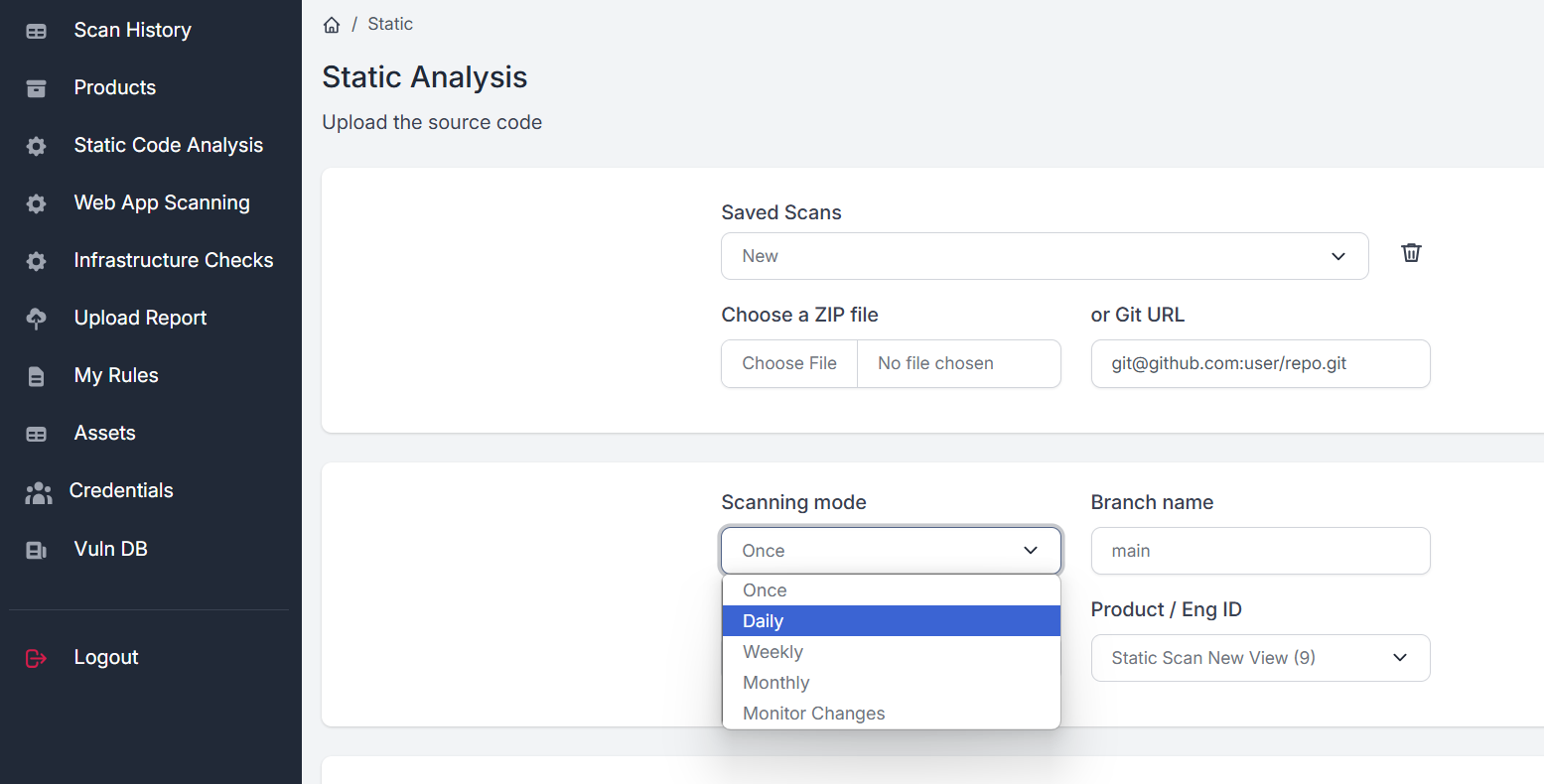
| Daily / Weekly / Monthly | A scan now, then every day, every week on today's weekday, or every month on today's date, at the time set in Run at. The form says it in a sentence, such as Every Friday at 03:30. |
| Monitor Changes | An initial full scan of the target branch, then hourly checks for new commits. When the branch moves, only the changed files are fetched and analysed. |
| Incremental Scan | A one-off scan of what changed since the last successful scan of the same branch. The first run scans everything; nothing is started when there are no new commits. |
| Custom Scope | Scans only the files and folders matching the patterns you supply. |
| Verify Fixes | Reassesses only the findings you list. See Rescans and fix verification. |
Setting up a scheduled scan
- 01Open the Static Analysis tab
Enter the repository on the Git Repository tab.
- 02Choose the scan frequency
Daily, Weekly or Monthly, and the time in Run at.
- 03Click Start Analysis
The first scan runs now; the next ones run at the time you chose.
Repository monitoring
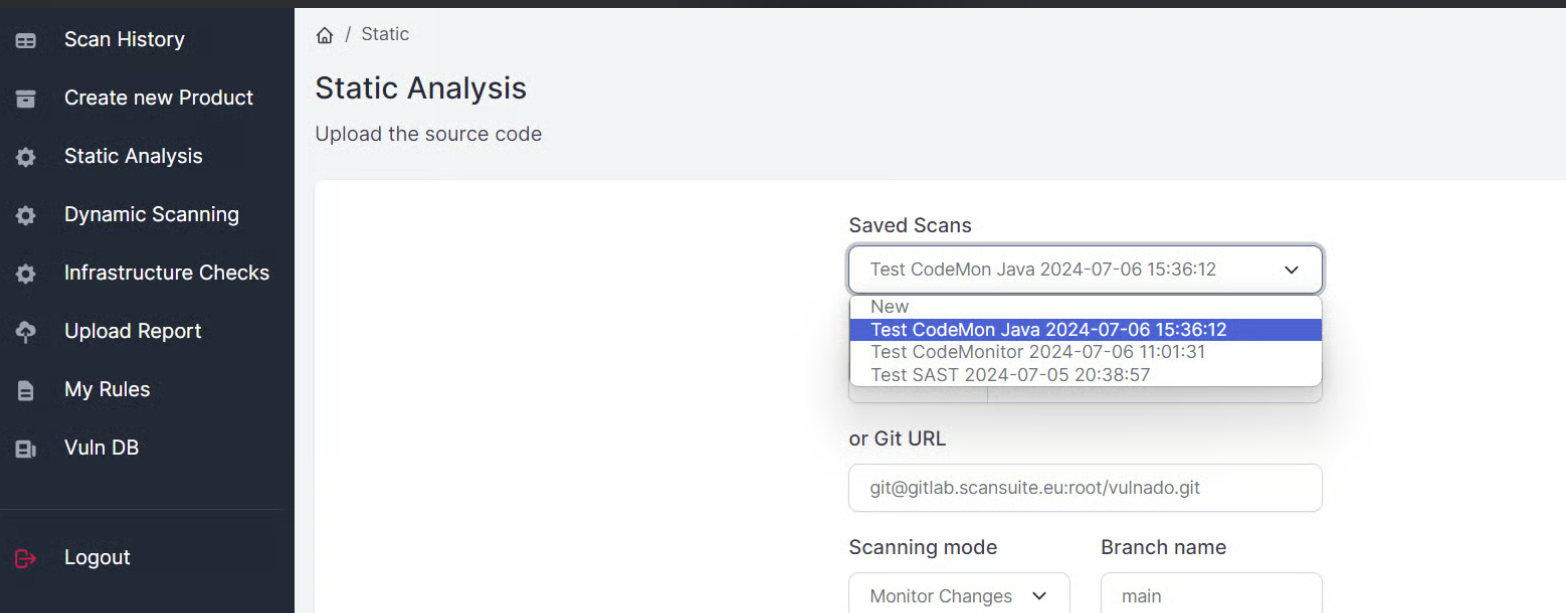
The Monitor Changes mode performs an initial full scan of the target branch and then checks hourly for new commits. If the branch has moved, only the modified files are downloaded and an incremental scan runs against them.
How the comparison point is chosen
Standard Git scans are pinned to an exact commit SHA, and become eligible history checkpoints once they finish successfully. A newly created monitor adopts the newest compatible checkpoint before deciding whether a diff scan is needed — so setting up monitoring on a repository you have already scanned does not re-analyse the whole tree.
An Incremental Scan is a one-time user action rather than a schedule. It finds the newest compatible successful static scan for the same repository and configuration, and uses that run's source SHA as the comparison checkpoint.
This is what makes per-commit AI analysis affordable: the cost of a re-scan tracks the size of the change rather than the size of the codebase.
Managing scheduled scans
Every schedule and monitor is listed on the Schedules page, where you run, pause, rename or delete it — see Schedule the scan. To change what a schedule scans, choose it from the Saved Scans drop-down at the top of the Static Analysis section.
Last reviewed 2026-09-25