Working with scan results
Reading findings in DefectDojo and exporting them.
DefectDojo is an optional bug tracker. Most teams work findings entirely in ScanSuite's own Vulnerability Management, which has bug tracking built in. This chapter is for teams who also export classic-scanner results to DefectDojo and want to work them there — when results are exported, DefectDojo visualises findings, tracks them, gathers statistics, creates reports and integrates with issue trackers, read and processed in DefectDojo rather than in ScanSuite.
The AI-driven scans do not export to DefectDojo at all: AI Native SAST, dependency reachability, AI DAST and AI Pentest findings are managed in ScanSuite's own Vulnerability Management, with full bug tracking. Secrets and Hidden Paths results are held back by default given the nature of the data. Using DefectDojo means setting it up first — see Set up DefectDojo (Optional).
Opening the results
In ScanSuite, open the product from the Products page and click the DefectDojo pill under its name. The DefectDojo line under a product in the list, and the product in Scan History's Environment column, link to the same engagement:
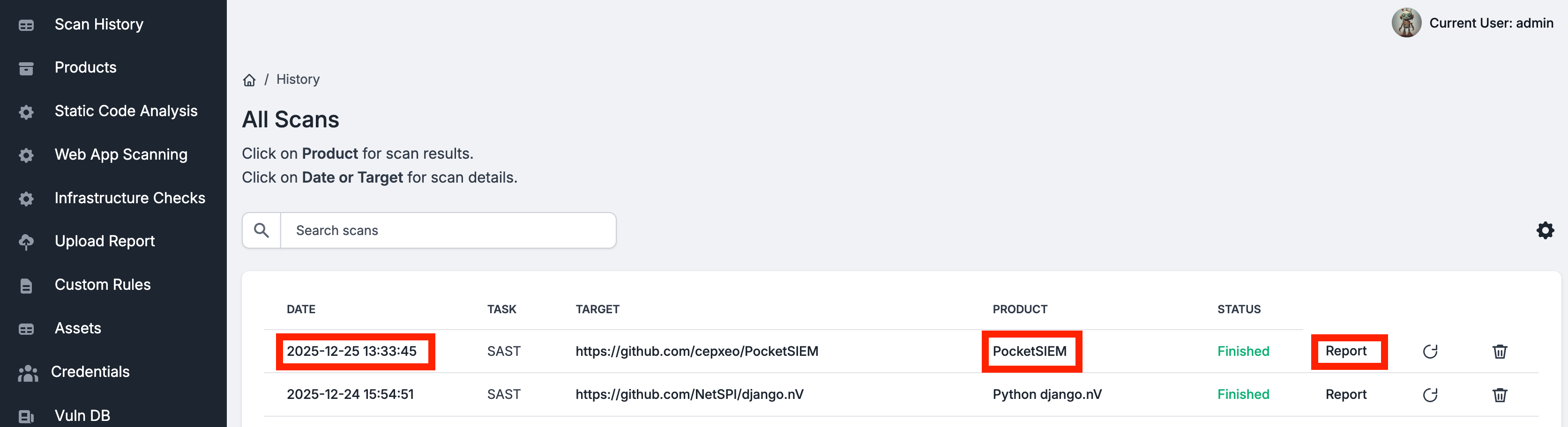
You will be redirected to the DefectDojo instance. The first time, you will need to log in with the DefectDojo credentials — see Set up DefectDojo (Optional) for how to retrieve them.
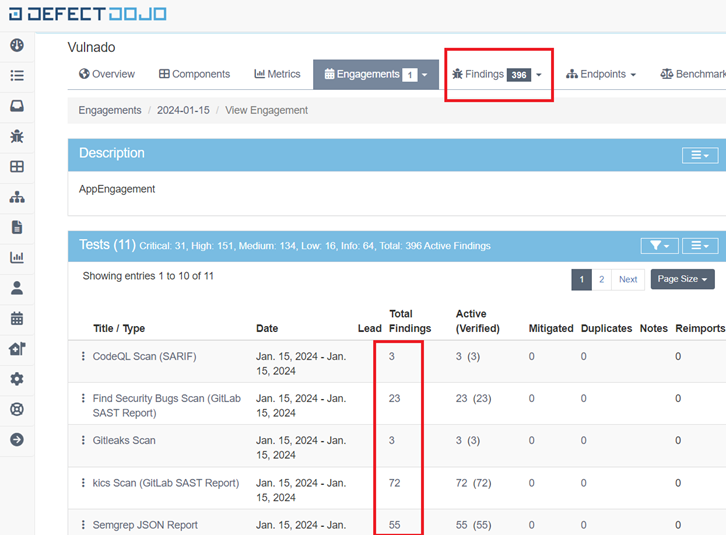
Once logged in, the Product → Engagement view opens directly from the ScanSuite reference, so you do not need to search for it inside DefectDojo:
Reading the findings
The engagement contains all successful scan exports, with the option to view a consolidated list of findings or the findings from each individual scan.
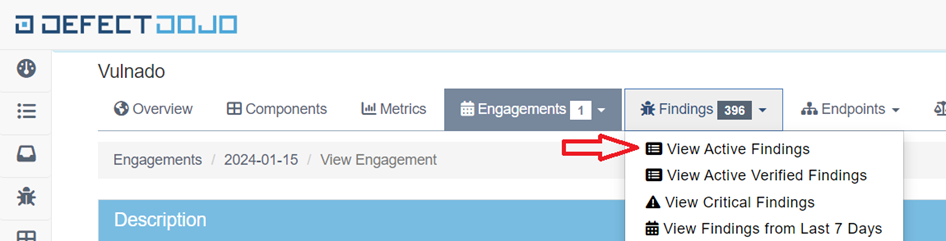
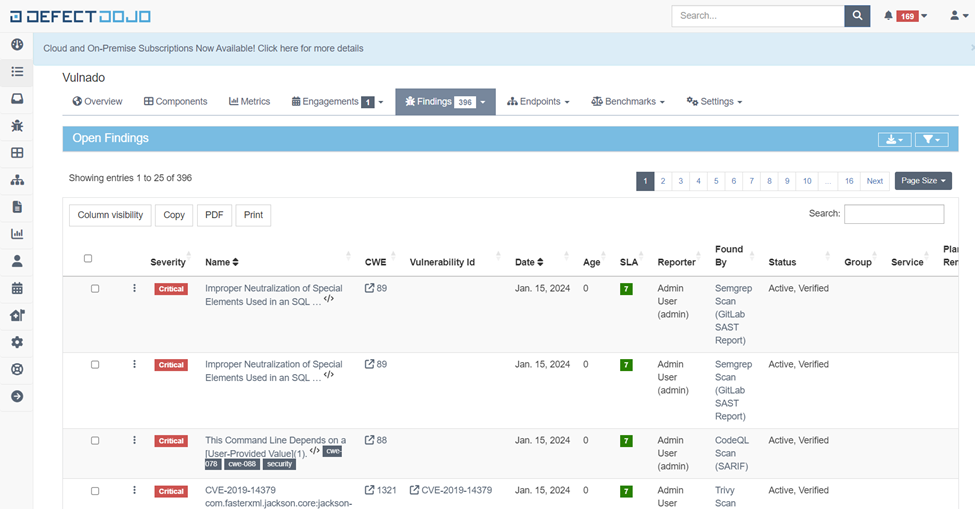
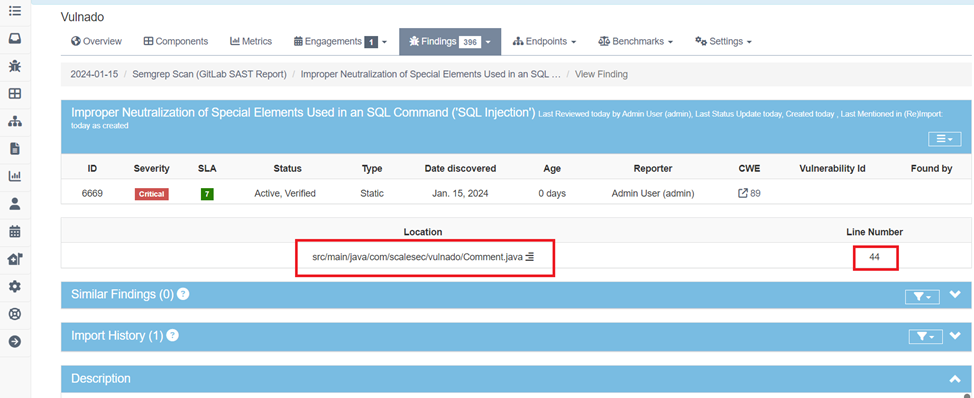
Click any finding for its details. These vary by scanner, but most provide the affected file and line number for static findings, the URL for dynamic ones, and further detail in the Description and Mitigation sections.
Exporting
Findings can be exported as HTML or CSV:
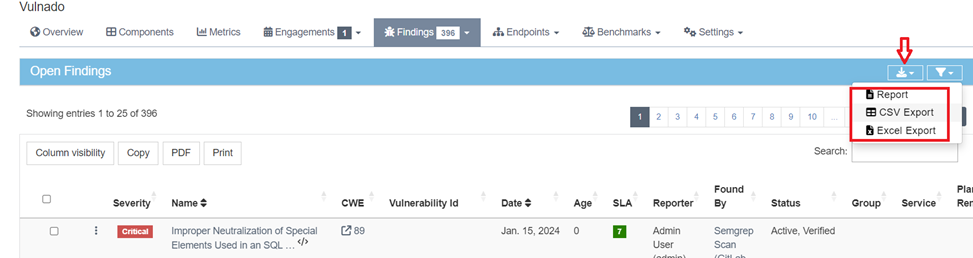
The HTML report presents all finding details in a scrollable form, which is often a better way to work through results than clicking each one individually.
Issue trackers
DefectDojo provides its own Jira integration for pushing findings into a remediation workflow. That is configured inside DefectDojo, not in ScanSuite.
To learn more about DefectDojo's functionality, settings and troubleshooting, refer to the official documentation.
Last reviewed 2026-09-25