Custom Rules
Your own Semgrep and Nuclei rules, generating a Nuclei rule with AI, and the suppression rules triage creates.
ScanSuite supports custom scanning rules for both static analysis (Semgrep) and dynamic analysis (Nuclei).
Creating a rule
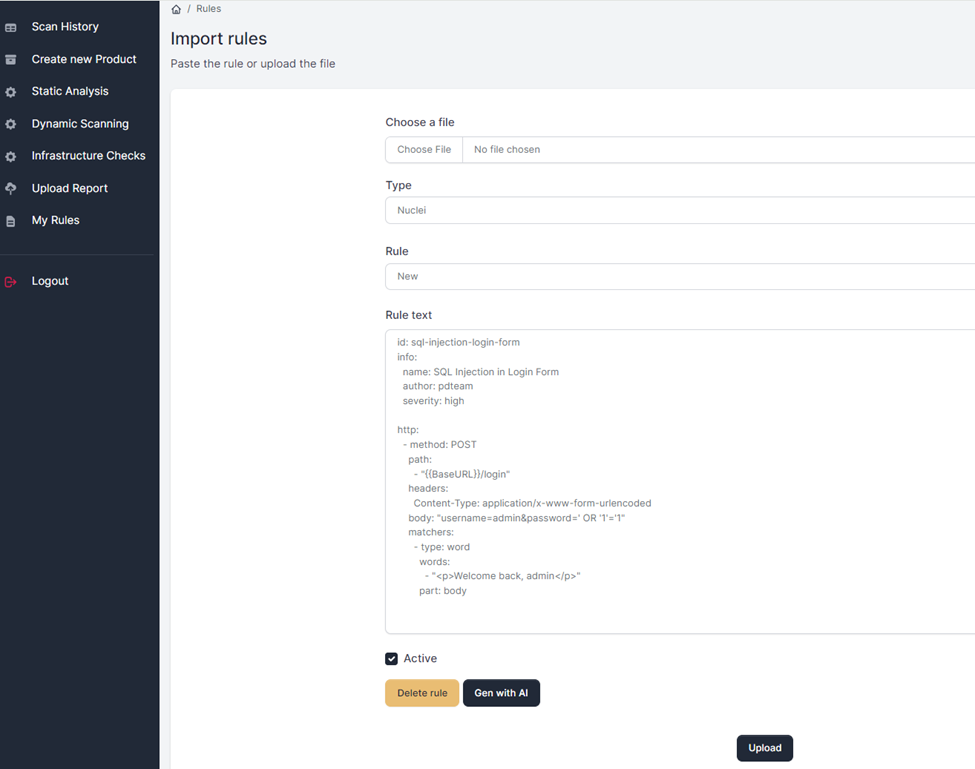
Select the rule type — Nuclei or Semgrep — paste the rule text, and click Upload:
Viewing and editing
Select an existing rule from the drop-down menu to review or change it.
Generating a Nuclei rule with AI
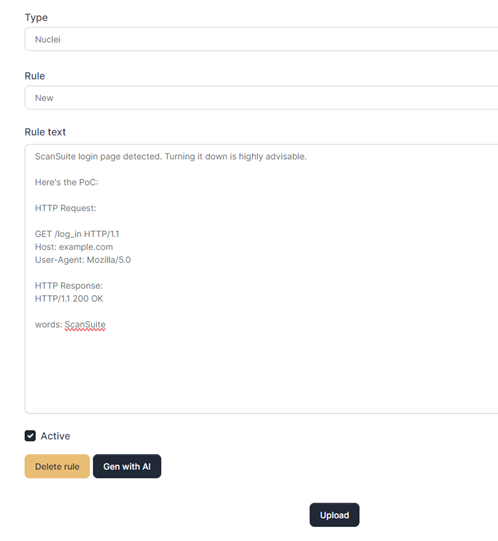
A Nuclei rule can be generated from a vulnerability proof-of-concept description. Paste the description, including the parts of the HTTP request and response used for detection, and click Gen with AI:
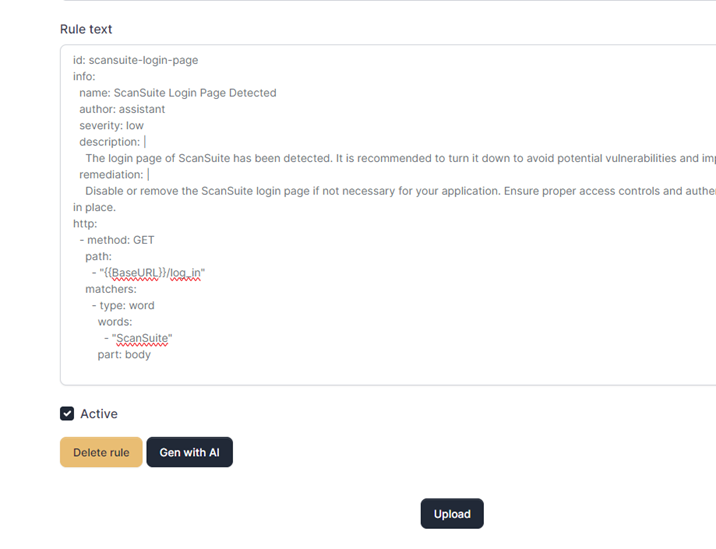
The rule is generated and pasted into the same field. Review it, amend if necessary, and click Upload.
Review generated rules before uploading. A rule that matches too broadly turns into noise on every subsequent scan, and a rule that matches nothing fails silently.
An AI provider must be configured for this — see AI providers and cost.
Semgrep rules
Semgrep rules are managed the same way, but AI rule generation is not yet supported for them.
Running the rules
To run a scan against the saved rules, choose the Custom Rules scanner in the relevant scan section — it is available for static, web and infrastructure scans.
Suppression rules
A suppression rule stops AI SAST reporting one vulnerability class in a file, a folder or a whole repository. You create one while ruling out a finding: on the Vulnerabilities page, False positive… offers Don't report this class here again — see Vulnerability Management. The rule applies to later scans before a candidate costs a model call.
The Suppression rules section of this page lists every rule:
| Column | What it shows |
|---|---|
| Product | The product the rule applies to. |
| Class | The vulnerability class it suppresses. |
| Where | The file, folder or repository, and which of the three it is. |
| Reason | The reason given when the finding was ruled out. |
| Created | When and by whom, and the date it expires if it has one. |
| Applied | How many times it has suppressed a candidate; hover for when it last did. |
Retire ends a rule: the class is reported again where the rule covered it. A rule past its expiry date stops applying on its own. A product's rules are also listed on the Settings tab of its page.
In ScanSuite Teams, creating and retiring suppression rules needs permission to configure scans.
Last reviewed 2026-09-25