Set up DefectDojo
Connect ScanSuite to DefectDojo, serve it over TLS, and keep it running.
AI-driven scans always record their findings in ScanSuite's own Vulnerabilities section. Classic scanners are different: most of them export what they find only to the scan reports and to DefectDojo. If you run classic scanners, connecting DefectDojo is recommended — without it their results stay in the reports.
A few classic scanners can store findings in ScanSuite as well: Nessus always does, and Semgrep, Nuclei, ZAP and Acunetix do when Store scanner findings is turned on in the team's Scanning tab (it is off by default).
The installer deploys DefectDojo by default; pass --no-dojo to skip it, and ./scansuite update --with-dojo brings it back later (see Setup parameters and services). This page connects an existing DefectDojo to ScanSuite, then covers its TLS and recovery.
1. Retrieve the DefectDojo admin password
cd /opt/scansuite && ./scansuite dojo password
If you do not see the password, try again in a minute — it takes a while for DefectDojo to set it up. If the password still does not come up, change it by pressing y and setting a new one.
The password is removed after a DefectDojo restart. Write it down and store it somewhere safe.
2. Log in to DefectDojo
Open a browser and log in to DefectDojo as admin at https://DOJO_HOST_IP:8443 (or at the domain you gave it — see TLS for DefectDojo):
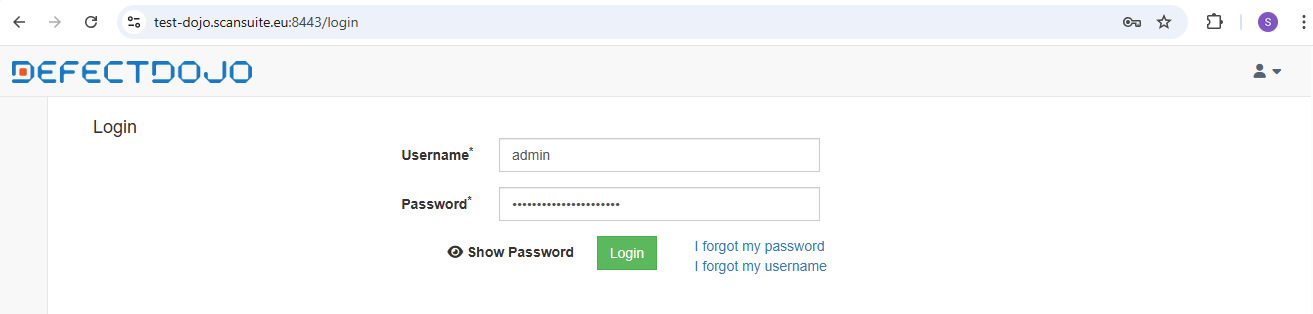
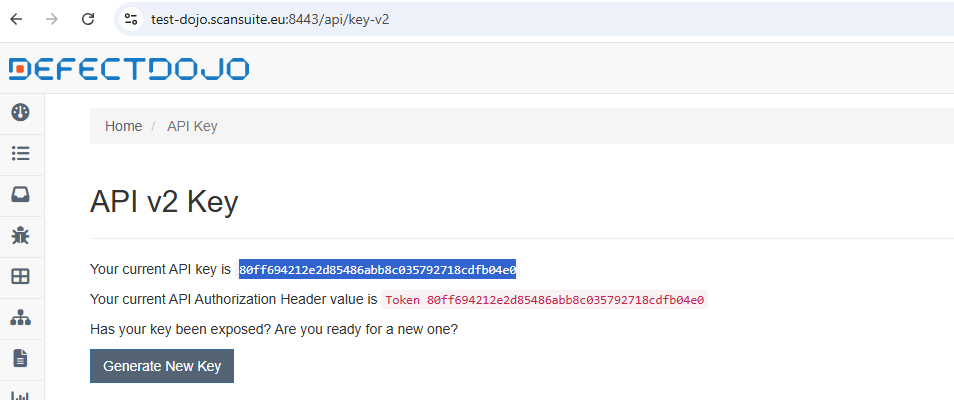
3. Copy the API key
Follow the /api/key-v2 path and copy the API key:
4. Connect ScanSuite to DefectDojo
In ScanSuite, open Teams from the user menu. The connection belongs to the team: team admins and operators set it up, and each team connects its own DefectDojo.
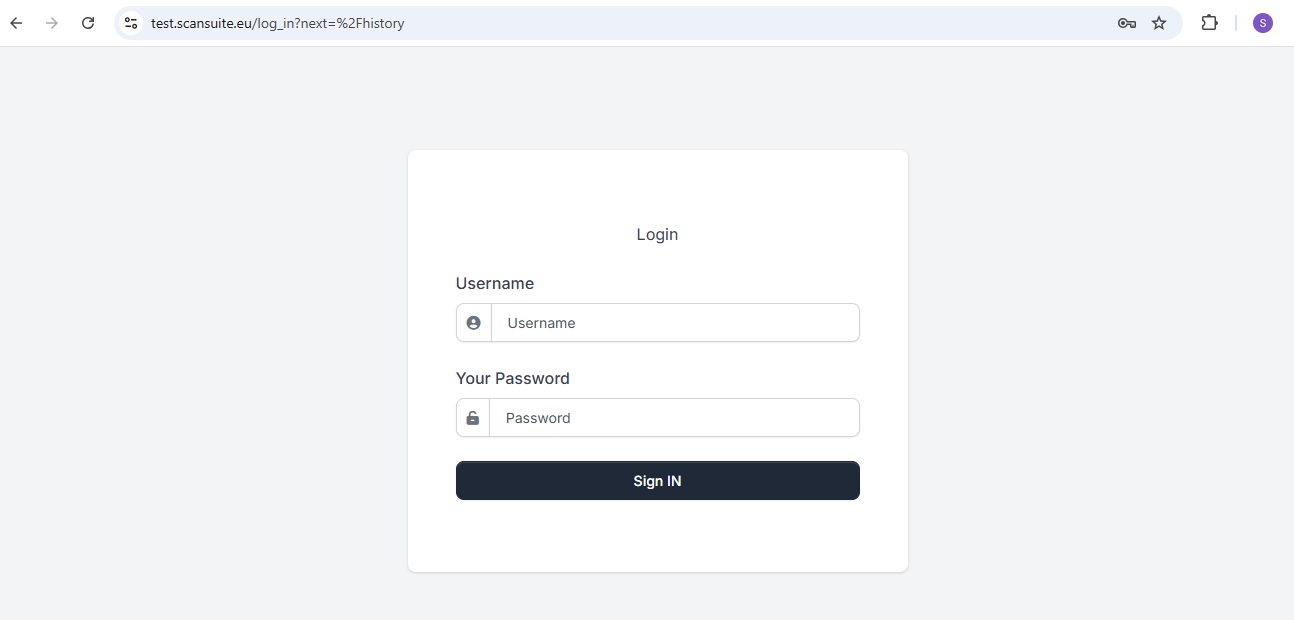
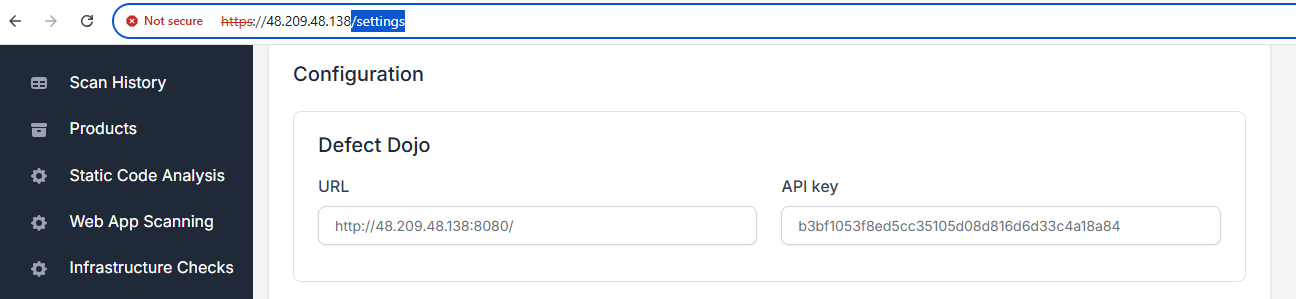
On the Integrations tab, under Issue trackers, fill in the DefectDojo block: paste the DefectDojo URL into Address and the key into API key, then click Save. The block is marked as connected once it is saved; the key is not shown again, so leave the field empty to keep it:
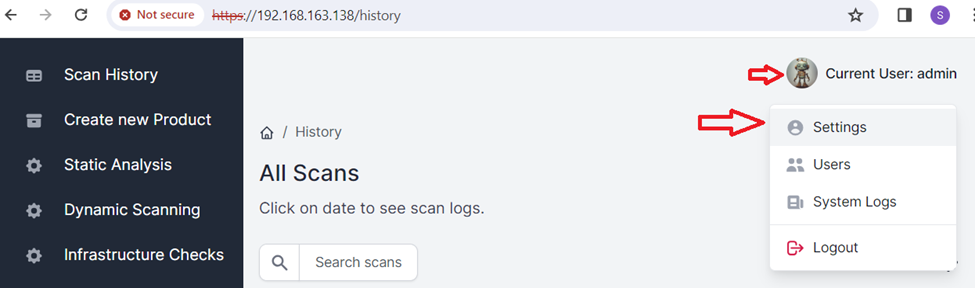
5. Verify the connection
Open Products in the sidebar, click New product, enter a product name and click Create product. With DefectDojo connected, the product is also created there, and the product list links it to its DefectDojo engagement:
If product creation fails, the URL or the API key is usually the cause — re-copy the key and check the host URL.
TLS for DefectDojo
DefectDojo is a separate instance with its own domain and certificate, independent of the ScanSuite console certificate. To serve it over your own certificate: register a domain for it (for example dojo.yourdomain.com), stop it, obtain a certificate (a local CA, or Let's Encrypt with sudo certbot certonly … -d dojo.yourdomain.com if the host is public), copy the certificate and key into /opt/scansuite/defectdojo/certs as nginx.crt and nginx.key (both user-readable), then start it again:
cd /opt/scansuite/defectdojo && docker compose down -t 0
# place nginx.crt and nginx.key in /opt/scansuite/defectdojo/certs
docker compose up -d
docker compose logs nginx # confirm the certificate loadedA certbot-managed certificate lives outside the certs directory, so point the nginx configuration at it — see Setup parameters and services.
Restart, reset and recover
Restart DefectDojo on its own:
cd /opt/scansuite/defectdojo && sudo docker compose down -t 0
sudo docker compose up -d
Read or change the admin password with cd /opt/scansuite && ./scansuite dojo password (removed after a restart — save it). As a last resort, reset the DefectDojo database:
cd /opt/scansuite && ./scansuite reset dojoResetting the database destroys every finding and product stored in DefectDojo and generates a new admin user. Afterwards, fetch a new API key and update the ScanSuite connection above, or result uploads start failing.
Last reviewed 2026-09-30