Teams and roles
What each of the four roles can do, and how a team admin sets up a team: targets, AI, scan credentials, reports and API tokens.
ScanSuite divides all work into teams. Products, scans, findings, assets, credentials, reports, schedules and integrations belong to exactly one team. People see and change only the data of their own teams, and in each team only what their role there allows. This page covers what each role may do and how a team admin sets up a team on the Teams page.
How teams keep data apart
- Every page shows which team you are working in. Lists, search and reports cover that team only.
- Scans, schedules and reports belong to the team they were started in. Suspending a team stops its running scans.
- Nobody outside a team can open its findings, reports or files. Even a system administrator sees them only after becoming a member of the team.
Two browser tabs can work in two different teams at once: each page stays in the team it was opened in.
Working in more than one team
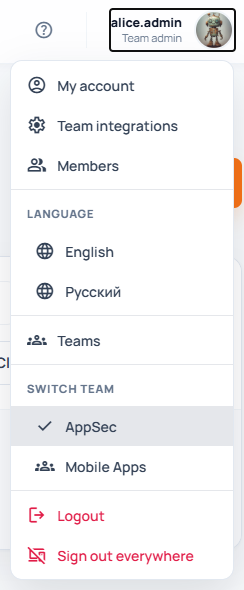
Your role in the current team is shown under your name at the top right. If you belong to several teams, switch between them in the same menu under Switch team. A link with ?team=<TEAM_SHORT_NAME> opens a page directly in that team.
Roles
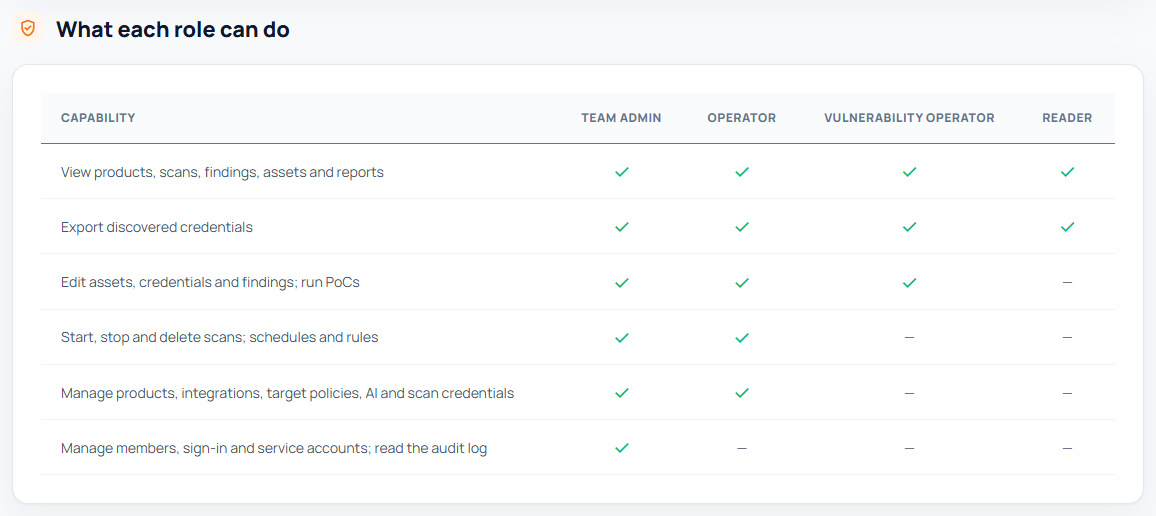
Roles are per team: someone can be an administrator in one team and a reader in another. There are four, from the most rights to the fewest:
| Action | Team admin | Operator | Vulnerability manager | Reader |
|---|---|---|---|---|
| View products, scans, findings, assets, reports and the team's settings | Yes | Yes | Yes | Yes |
| Reveal and export the values of stored credentials | Yes | Yes | Yes | — |
| Change and triage findings, assets and discovered credentials; write proof-of-concept exploits | Yes | Yes | Yes | — |
| Delete findings, assets and discovered credentials | Yes | Yes | — | — |
| Run proofs of concept; start, stop and delete scans; import reports; create and edit products; schedules and rules | Yes | Yes | — | — |
| Integrations, Team SSH key, server account, scanner engines, remediation deadlines, scanner findings, management reports, How AI handles findings | Yes | Yes | — | — |
| Allowed targets, the team's AI and its token budget | Yes | — | — | — |
| Members, single sign-on groups, service accounts and API tokens, the activity log | Yes | — | — | — |
- Vulnerability manager suits an analyst who triages results without running scans: they work findings, assets and credentials but cannot start scans, run exploits or delete anything.
- Readers see that credentials exist and where they were found, but not their values.
- Readers can download every report and export the pages offer.
- A service account can be an Operator or a Reader (Reader by default), never a team admin.
- Single sign-on groups map to the same four roles, see Single sign-on.
The team page
Everything about a team as a whole is on the Teams page, which opens from the user menu or from the Admin section of the sidebar. It has these tabs:
| Tab | What it holds |
|---|---|
| Overview | Members, allowed targets, AI used this month and connected services. Get this team ready lists what still needs setting up, each step with a link to where it is done. |
| People | Members, Automation and API tokens, Single sign-on groups. Only team admins see this tab. |
| Scanning | Web targets, Infrastructure targets, Team SSH key, Server account, Scanner engines, Remediation deadlines, Scanner findings in Vulnerabilities, Management reports. |
| AI | AI provider, the routing cards for the team's own models, Monthly token budget, How AI handles findings. |
| Integrations | Issue trackers (DefectDojo, Securitm), Alerts (email, Telegram), Enrichment services (Snyk, Shodan, Dehashed). |
| Activity | The team's activity log. Only team admins see this tab. |
Members whose role does not allow a change see the settings read-only; each card says who can change it. Each card has its own Save button. Team settings are changed in the browser only: there is no command-line or API-token route for members, allowed targets, the team's AI or service accounts.
Get a new team ready
A team admin works through Overview → Get this team ready. Each item has a button that opens the card where it is done:
| Item | What to do |
|---|---|
| Allow scan targets | Add web and infrastructure targets on the Scanning tab. Web and infrastructure scans only run against allowed targets. See Allowed targets below. |
| Have a second team admin | Add a person with the role Team admin on the People tab, so the team can still be managed when one admin is away. See Members and accounts. |
| Set a team SSH key | Save a private key in the Team SSH key card on the Scanning tab, so schedules and pipeline scans can clone private repositories. |
| AI is available | Choose the AI on the AI tab. AI scans, fix verification and proof-of-concept generation need it. |
| Get alerts | Fill in Email or Telegram in the Alerts card on the Integrations tab. |
| Export findings to an issue tracker (optional) | Connect DefectDojo or Securitm on the Integrations tab. |
Check: each item turns green as it is done, and the card's status reads Ready instead of N to do. Members are added as described in Members and accounts.
The team's AI
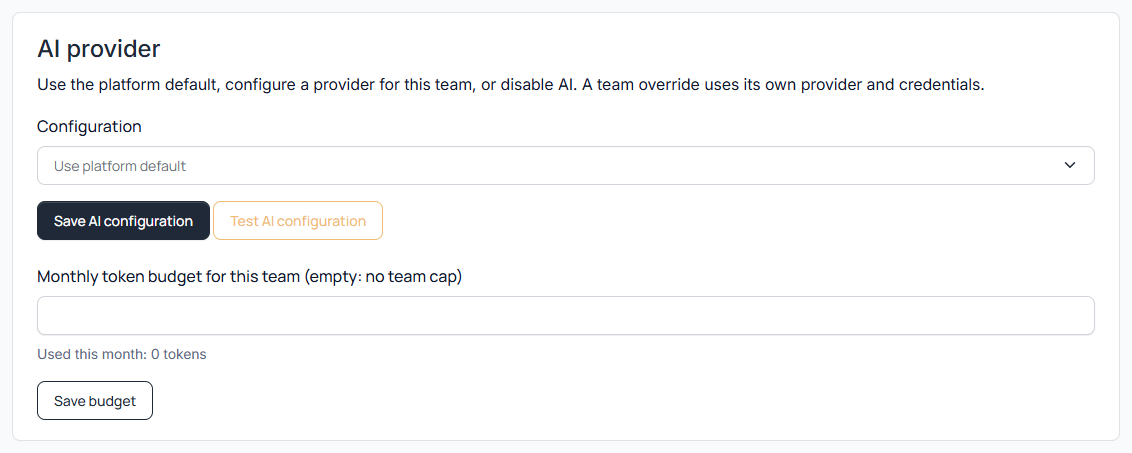
On the AI tab, in the AI provider card, a team admin chooses what to Use and clicks Save:
| Option | What it does | When to choose it |
|---|---|---|
| The system AI, set up by a system administrator | The installation's shared models, shown by their names only. | Default for a new team. |
| This team's own models | The team adds its own AI connections and models in the cards below and routes each AI task to one of them. | When the team must use its own AI account or a model of its own. |
| No AI: turn AI features off for this team | AI scans and every AI feature are off for this team. | When the team may not send code or findings to any AI. |
Test connection checks the saved choice. The fields of connections and models, and how to route each task, are described in AI providers and cost.
The Monthly token budget card shows the tokens used this month and caps them: Tokens a month, empty for no team limit. When the budget is reached, AI features pause until the next month. If a system administrator also set a limit, the lower one applies.
How AI handles findings
Team admins and operators change this card on the AI tab:
| Field | What it does | Default | When to change it |
|---|---|---|---|
| Close findings that are verified as fixed | When a scan covers a file but no longer reports a finding in it, AI reads the current code and closes the finding only with file and line evidence that the problem is gone. Findings marked Risk accepted or False positive are never touched. | On | Off when every closure should be made by a person. |
| Language of AI-written text | The language of AI-written finding descriptions and proof-of-concept notes: English or Russian. | English | When your team reads Russian. |
Allowed targets
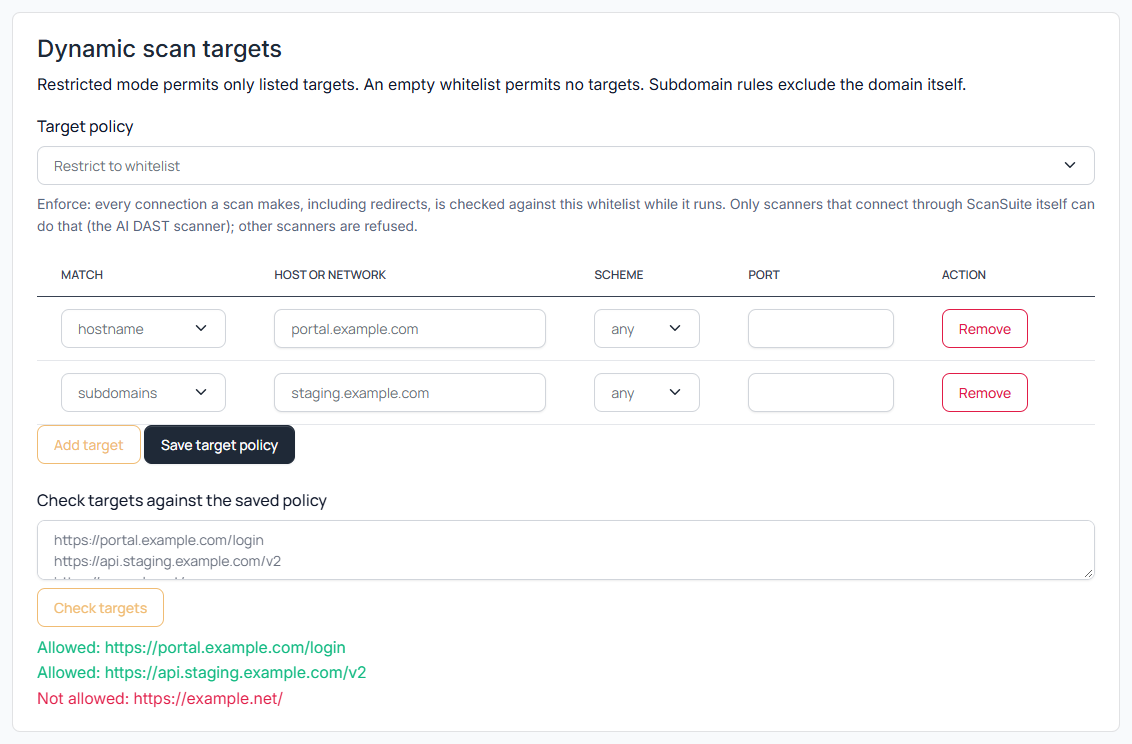
Web applications and infrastructure can be scanned only within the targets a team admin allows. The Web targets and Infrastructure targets cards on the Scanning tab each have a mode under Allow:
| Mode | What it does |
|---|---|
| Only the targets listed below | Only targets on the list can be scanned. They are checked when a scan starts. |
| Only the targets listed below, also checked while the scan runs | The same, and ScanSuite keeps watching until the scan ends: it checks redirects to other sites and the addresses a host name resolves to. Only the AI DAST scanner supports this mode; other scanners, including every infrastructure scanner, are refused in it. |
| Any target | No restriction. Choose it only if you really mean to allow scanning anything. |
Click Add target for each entry, then Save:
| Column | What to enter | Where |
|---|---|---|
| Match | Exactly this host; Its subdomains (any host inside the domain, but not the domain itself); Network (CIDR) for IPv4 and IPv6 ranges. | Both cards |
| Host or network | The host name, domain or range, for example app.example.com or 10.0.0.0/24. | Both cards |
| Scheme | any, https or http. | Web targets only |
| Port | 1 to 65535; empty allows any port. | Web targets only |
Check: open Check whether targets are allowed, enter the addresses you plan to scan under Targets, one per line and click Check. Each line reads Allowed: <target> or Not allowed: <target>. Nothing is changed.
A team created in System Settings starts with an empty list and checking while the scan runs, so its administrator has to add targets before the first web or infrastructure scan. A scan whose target is not allowed is refused, and the scan names the target and the reason, see Managing scan execution. The rules for writing targets in the scan forms are in Web App Scanning.
In the mode that also checks while the scan runs, ScanSuite rereads the rules every minute. Narrowing the list stops running scans that no longer fit it.
Scan credentials
Saved keys and passwords are stored encrypted and never shown again. Scans already queued keep the version they started with. Team admins and operators change these cards on the Scanning tab.
Team SSH key
The Team SSH key card holds the Private key that clones private repositories over SSH for schedules, pipeline scans, and members who have not saved a key of their own under My account. A key protected by a passphrase cannot be used. Once saved, the card shows the key's fingerprint; Remove deletes it. How repository access works as a whole, with the Git service in System Settings and each person's own key, is described in Git repository authentication.
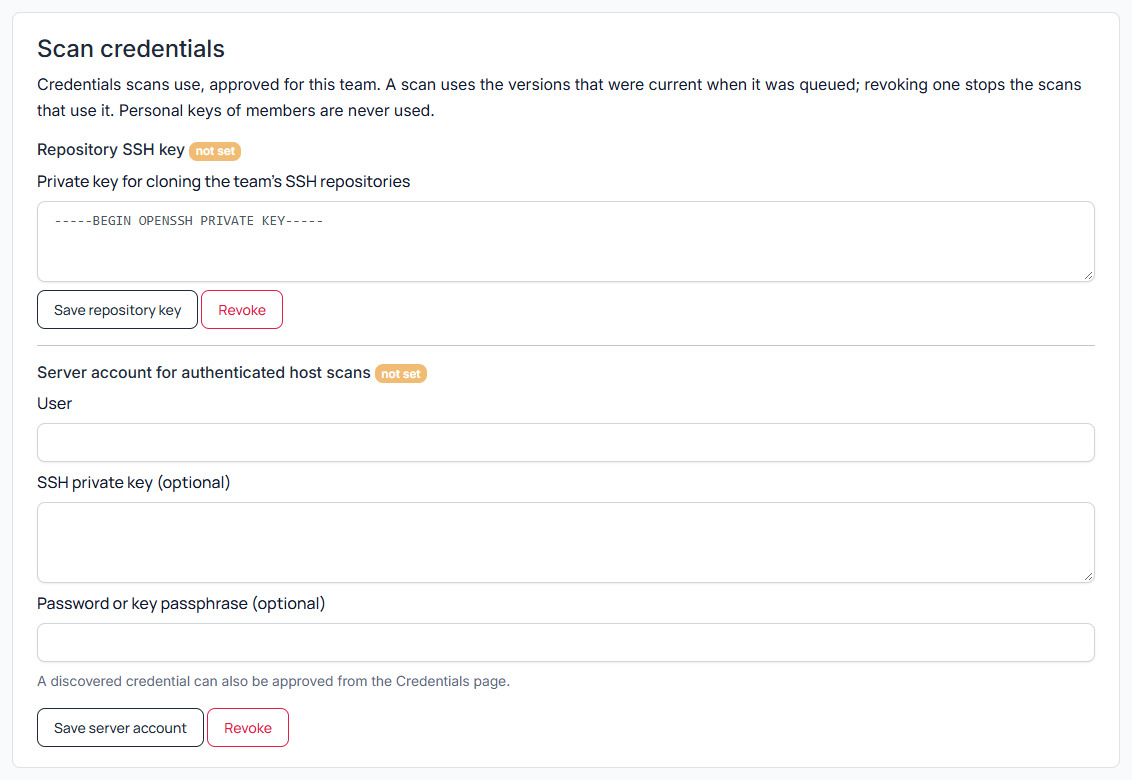
Server account
The account authenticated infrastructure scans sign in to hosts with:
| Field | What to enter |
|---|---|
| User name | Required. The account on the scanned hosts. |
| SSH private key (optional) | A private key for that account. |
| Password or key passphrase (optional) | The account's password, or the passphrase of the key above. |
Save stores it, Remove deletes it. A credential a scan discovers can also be approved as the server account on the Credentials page, see Credentials. The OpenVAS and Acunetix scanner engines on the same tab are described in API keys for external systems.
Findings and reports
Remediation deadlines
The Remediation deadlines card sets how many days a new finding of each severity may stay open: 7 days for Critical, 30 for High, 90 for Medium and 180 for Low by default, 0 for no deadline. How due dates and overdue findings work is described in Vulnerability Management.
Scanner findings in Vulnerabilities
Whether the findings of the classic scanners (Semgrep, KICS, Trivy, Nuclei, ZAP, Wapiti, Acunetix, OpenVAS and others) are stored on the Vulnerabilities page as well as in their reports and DefectDojo. CI/CD quality gates count only stored findings.
| Field | What it does | Default | When to change it |
|---|---|---|---|
| Store scanner findings | Stores the classic scanners' findings on the Vulnerabilities page. | On | Off when you work those results only in DefectDojo or in the reports. |
| Lowest severity to store | Findings below it stay in the scan reports only. Nessus findings are always stored, and this severity applies to them as well. | Medium | Low or Info to keep everything; High to keep the list short. |
| Close findings a rescan no longer reports | Semgrep: a Semgrep finding is closed as fixed when Semgrep scans the file again with the same rules and no longer reports it. All scanners: the same for web and infrastructure scanners, once two completed scans in a row of the same profile against a reachable target no longer report it and no other scanner still does. Off: never closed automatically. Risk accepted and False positive findings are never touched; a closed finding that comes back is reopened. | Semgrep | All scanners for regular web and infrastructure rescans; Off for manual closure only. |
Management reports
How the PDF reports and slides exported from the Products and Vulnerabilities pages present your team (see Reports and exports):
| Field | What it does | Default | When to change it |
|---|---|---|---|
| Company name | Printed at the top of every page. | Empty (logo alone) | To show your company's name. |
| Classification label | Confidential, For internal use only, Restricted or No label. | Confidential | To match your document classification. |
| Paper size | A4 or Letter. | A4 | Letter in North America. |
| Logo | Upload a logo: PNG or JPEG, at most 512 KB. Printed about 20 points high, so a wide logo works best. Remove deletes it. | None | To brand the reports. |
Integrations
Issue trackers, alerts and enrichment services on the Integrations tab, and the scanner engines on the Scanning tab, are described in API keys for external systems. Team admins and operators change them.
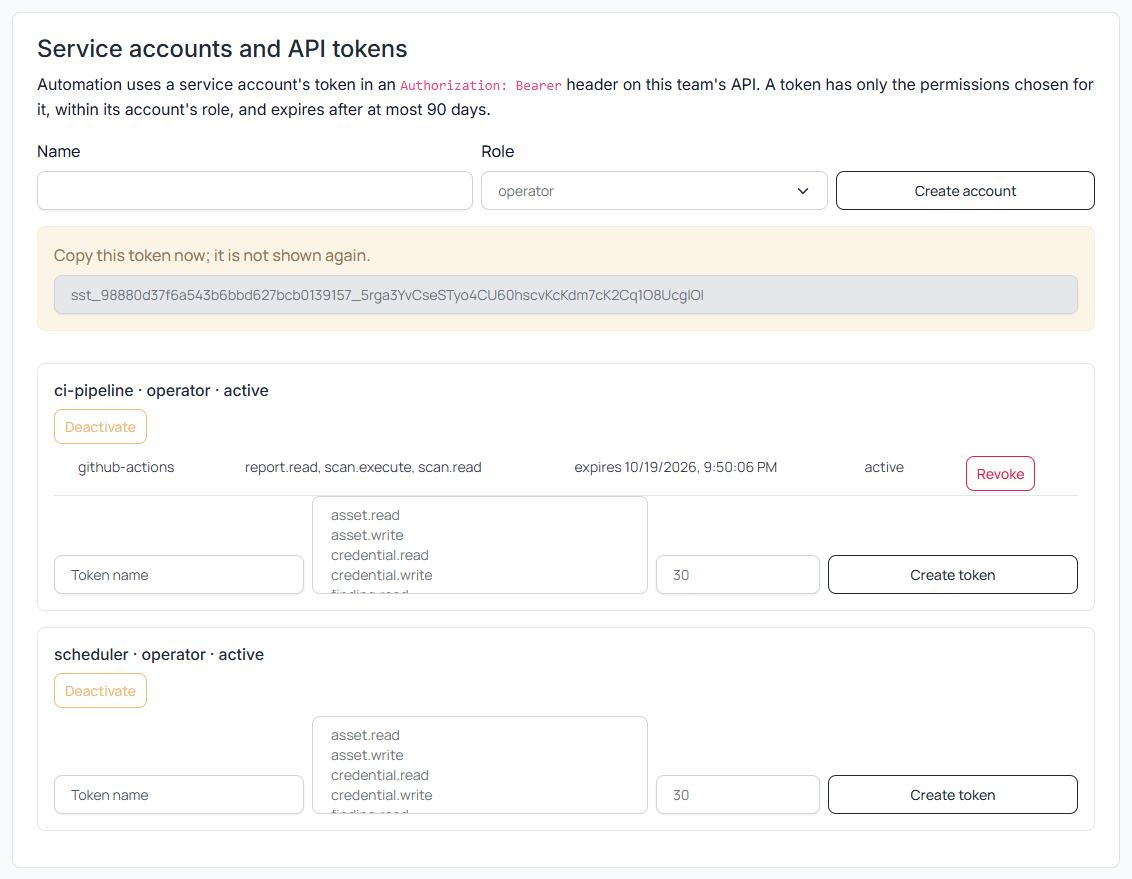
Service accounts and API tokens
Pipelines and scripts work with a team through a service account's token, not a person's password. The card Automation and API tokens on the People tab also shows This team's name in pipelines and API addresses (SCANSUITE_TEAM).
- 01Create the service account
Under New service account enter a name such as gitlab-ci, pick the Role (Reader by default, or Operator to start scans) and click Create. The toast says "Service account <name> created."
- 02Click New token in the account's row
Enter a Token name and how many days it is Valid for (1 to 90, 30 by default), then choose what it can do (table below) and click Create token.
- 03Copy the token from Your new token
The dialog shows the token once, the team's name (SCANSUITE_TEAM) in its own row, and two ready-to-run test commands.
- 04Test it
Paste either command under Test the connection into a terminal. It answers with what the token may do, or says why the server refuses it. With a self-signed certificate, add -k to curl.
Copying the token from the dialog into your CI system's secret store is a person's step. The token is shown once and never again.
An AI agent must not ask for it in the chat; it can refer to it as a CI variable such as SCANSUITE_TOKEN.
| What can it do? | Permissions | When to use it |
|---|---|---|
| CI pipeline | See and create products; start, stop and see scans; see findings, discovered credentials and reports. | For a pipeline that runs scans. The service account needs the Operator role. |
| Reporting | See products, scans, findings, assets and reports. | For dashboards and exports. Reader is enough. |
| Custom | Pick permissions one by one, grouped as Products, Scans, Findings, Assets, Reports, Credentials, Settings and Access. | For anything else, for example a script that triages findings (Change findings). |
A token can never do more than its service account's role allows. It is sent as Authorization: Bearer <token>; how pipelines use it is in CI/CD and automation.
In the list, each service account shows its tokens with expires <date>. Revoke ends one token at once. Deactivate stops every token of the account until you Activate it again.
Saved schedules run as the team's scheduler service account, marked "runs saved schedules", so they keep running after their author leaves. Deactivating scheduler stops them.
When access is denied
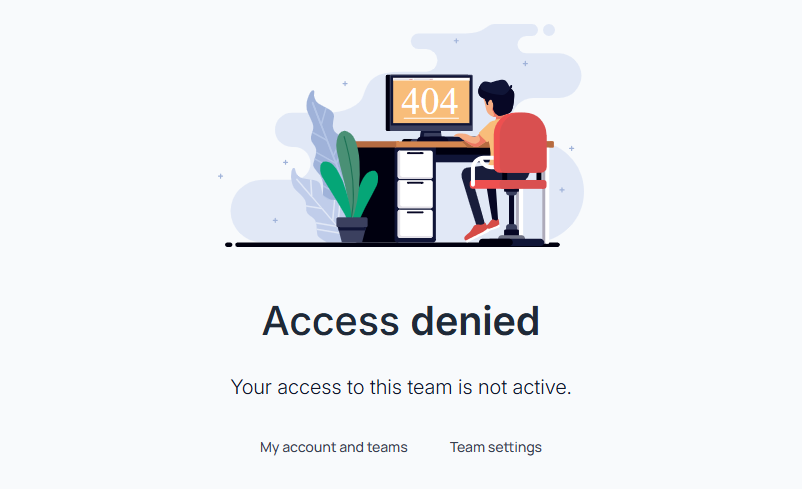
When a page is not available, ScanSuite shows Access denied. Members and former members of the team are told why: their membership is suspended or revoked, the team is suspended, single sign-on is required, or their role does not allow it. The team's admin can help with those. Everyone else is only told that they have no access.
Last reviewed 2026-10-19