Security logs
The team audit log, the installation audit log and the service logs.
There are two audit logs to look in: a team's own log, for what happened inside that team, and the installation log, for what happened to the installation. Neither ever records a password, key or other secret value.
The team audit log
Team admins read their team's log under Teams → Team settings → Security audit. It shows who did what, and when, in that team only:
| Area | Recorded |
|---|---|
| Members and accounts | Role and status changes, local accounts created, password resets and passwords set, accounts deactivated or activated, and accounts added to the team. |
| Sign-in | Identity connections, group mappings and the sign-in policy; members admitted, updated or removed by directory groups; provider sign-outs; and sign-ins with a password while single sign-on was required. |
| Configuration | Integrations, target policies, AI settings and budgets, scan credentials, service accounts and API tokens. |
| Data | Report downloads and each use of a stored secret by a scan or integration. |
| Maintenance | Nightly retention runs, recorded as the retention service. |
Each entry keeps the name the person had at the time, so it stays readable after they are renamed or removed.
The installation audit log
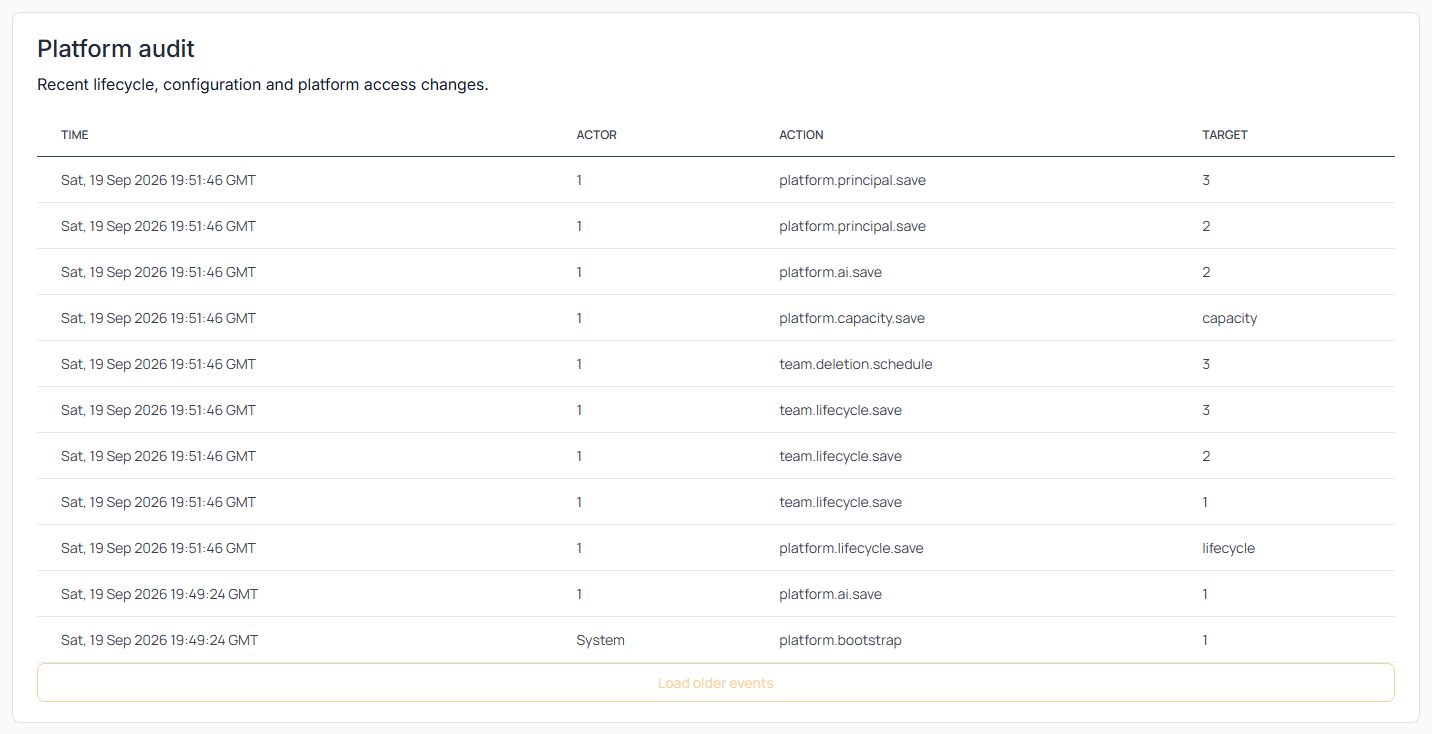
Installation administrators read this one in the Audit section of Administration. It covers what happens to the installation rather than inside a team: sign-ins to administration, teams created, suspended or deleted, limit changes, installation settings, administrators, secrets and the identity provider. From there you can also look at any single team's administrative events, which is the quickest way to answer "who changed that team's limits".
Container and service logs live on the host and are read with the commands in Troubleshooting.
Last reviewed 2026-09-29