(Optional) Compiling the code
Supplying cached dependencies for scanners that must build the project first.
Some Java and C#/.NET scanners — CodeQL, FindSecBugs, Security Code Scan and others — need to "instrument" the code, a process similar to compilation, before analysing it. This can be challenging: the source must be complete and accurate, and dependencies must either be available offline or downloadable from an internal artifactory or the internet.
Consult the developers who maintain the project about how to obtain a compilable version of the code. The scanning results are usually worth the extra mile.
The example below covers Maven-built Java projects. Maven, Gradle, Ant and a few more are supported by the SAST scanners such as CodeQL and FindSecurityBugs, which will attempt to download dependencies from the locations named in pom.xml and compile the code for further analysis.
When the dependency repository is reachable
Nothing to do. This works well if the dependency repository is reachable by the scanner and does not require authentication to download modules — for example, over the internet.
When it is not
Download the dependencies beforehand and pass the cached modules along with the source code. Cache Maven dependencies manually by running this from the source folder:
./mvnw dependency:go-offline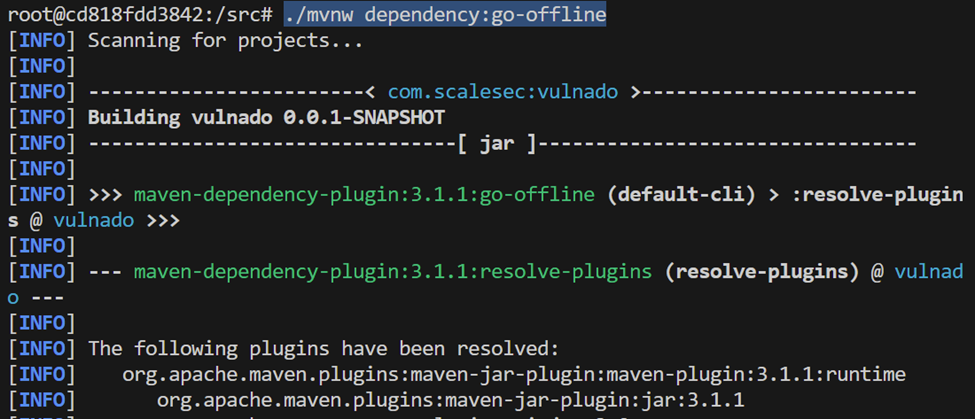
Dependencies are downloaded by the Maven compiler and stored in the ~/.m2 folder:

Both folders contain downloaded modules that can be provided to an offline ScanSuite installation. Copy them into the dependency folder of the source code and upload the code ZIP archive through the web interface as usual:

Last reviewed 2026-08-16