Credentials
Secrets and leaked credentials found by scans, and verifying whether they still work.
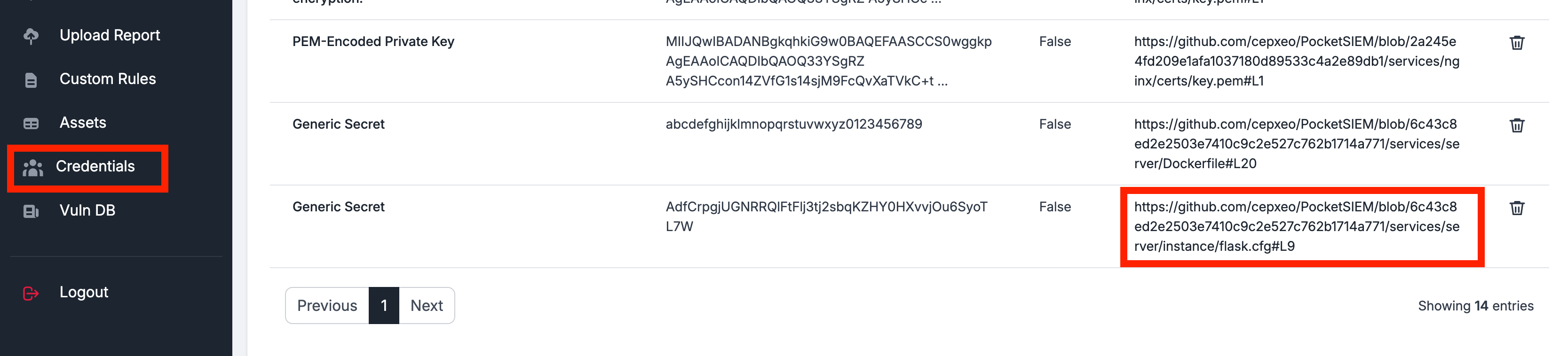
Credentials found during static code analysis — secrets detection — and during infrastructure checks such as the OSINT credential-leakage stage or the Bruteforcer scan are saved here and managed from the Credentials page.
The link on each entry refers directly to the code line, so the issue can be checked immediately:
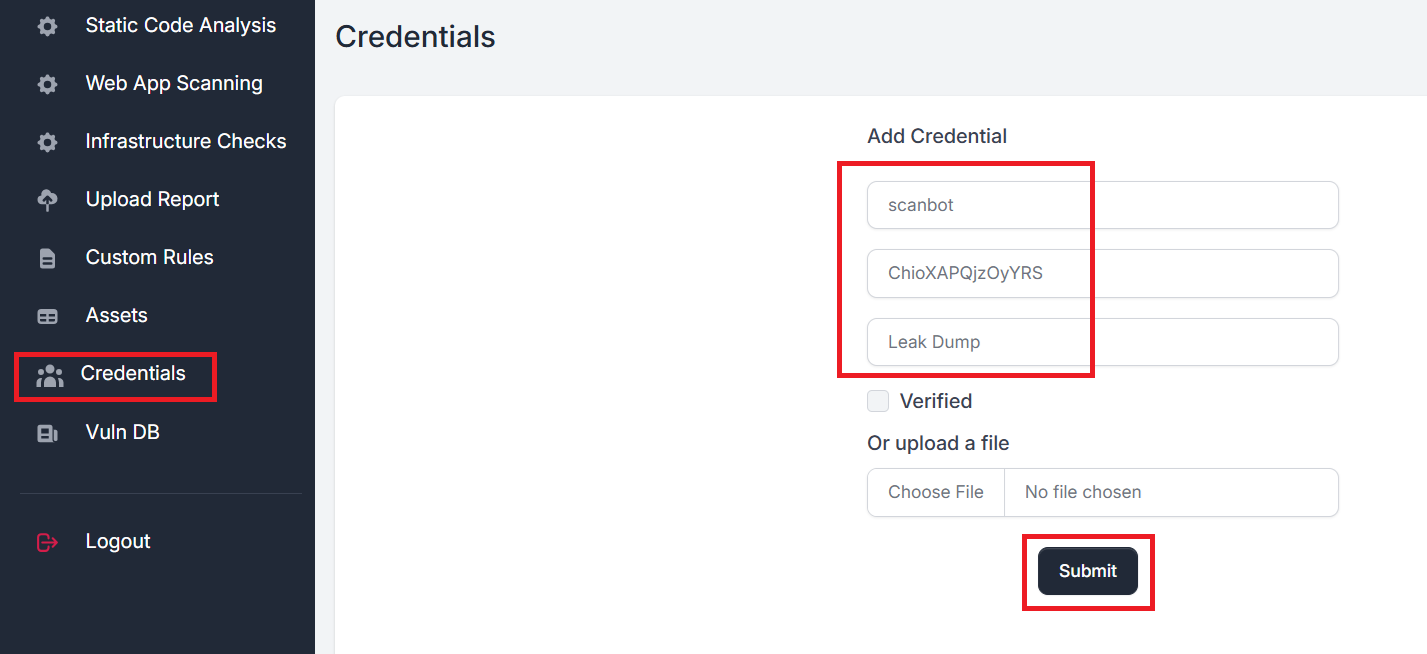
Adding credentials manually
Leaked credentials can be entered by hand or uploaded in bulk as a JSON list:
Verifying whether they still work
Credentials matching a login/password pattern can be used by the Bruteforcer scanner to check their validity. Run it from the infrastructure page. Confirmed credentials are alerted in the scan logs, and updated in the Credentials tab through the Verified and Details fields.
Click a credential name for the full details, including the revealed secret:
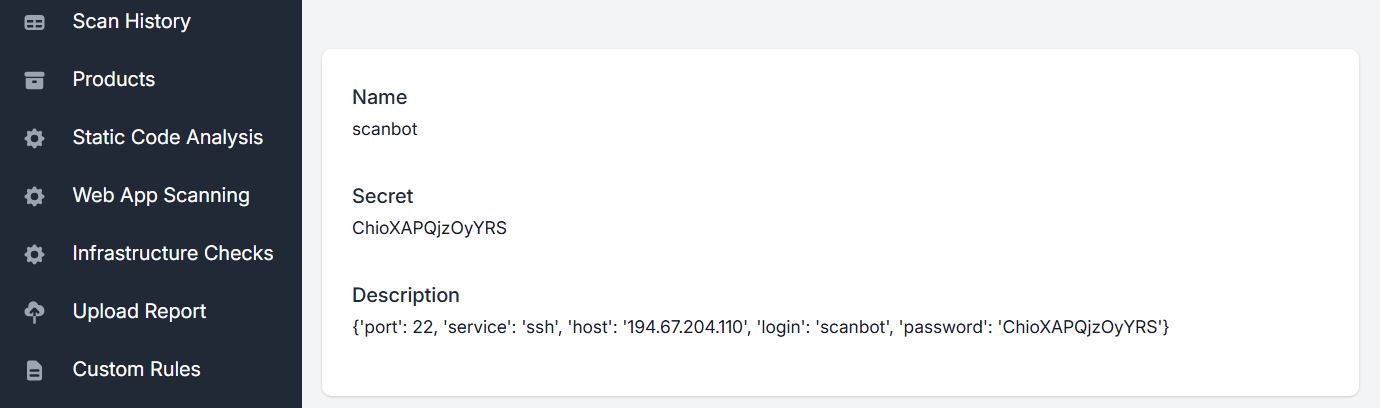
Two different meanings of "verified" meet on this page. A secret found in code is marked verified when the model judges it to be a real credential rather than an example. A login/password pair is marked verified when the Bruteforcer successfully authenticated with it. The Details field records which.
A confirmed working credential is a live compromise. Rotate it before filing it.
Using a credential for authenticated scans
Credentials on this page are findings; scans never use them on their own. When a found login should become the account that authenticated infrastructure checks use, a team admin or operator clicks Approve as the team's server account for authenticated scans next to it and confirms. Scans queued from then on use it. The approved account can also be entered or revoked under Teams → Team settings → Scan credentials.

Credentials belong to the team: other teams never see them. Every role can read and export them, so treat membership of a team as access to its discovered secrets.
Last reviewed 2026-08-16